What Is CryptPad?
What do you reach for when a document cannot be exposed? Google Docs is the smoothest to write in, and every paragraph and every revision sits on their servers in a form the provider can read. Notion and Microsoft 365 have the same structure. For a journalist drafting a story that cannot leak, activists working out a strategy that cannot be monitored, an NGO keeping records about vulnerable people, or a researcher on a sensitive subject, the choice of tool decides whether the draft stays unreadable to the provider from beginning to end.
CryptPad is one of the few collaborative office suites where the server genuinely cannot see the content. It is developed by XWiki SAS in France under the AGPLv3. Content is encrypted in your browser and the server receives ciphertext, while the feature set still covers most of what people use Google Workspace for.
The community instance at cryptpad.anoni.net ships built-in Traditional Chinese (zh_Hant) as of CryptPad 2026.5.0, released on 13 May 2026, so users across Taiwan, Hong Kong, Macau, and the diaspora can work in the interface without learning English menus first. The translation history is in CryptPad 2026.5.0 ships Traditional Chinese as a built-in locale.
What zero-knowledge means here
- Encryption happens in the browser: What you type, the images you paste, and every collaborative edit are encrypted before they leave your computer
- The server only sees ciphertext: CryptPad's operators, the anoni.net maintainers, and any intermediary on the path all see an unreadable stream
- The key lives in the URL fragment: The key that decrypts a pad sits after the
#in the URL, and that portion is never sent to the server. Sharing the link is sharing the key, so whether the key leaks depends on how you transmit the URL - Collaboration stays encrypted: When someone joins through your share link, their browser obtains the same key and decrypts and re-encrypts every change locally
Even if we wanted to read it, we could not.
The guarantee costs two things. First, losing the password or key means the content cannot be recovered, and CryptPad cannot reset it for you. Second, full-text search, content indexing, and AI summarization do not exist, because all of them require the server to read the content. For work that has to stay confidential over time, that trade is usually acceptable.
The technical detail is in the CryptPad whitepaper and how CryptPad's encryption works.
One interface, several applications
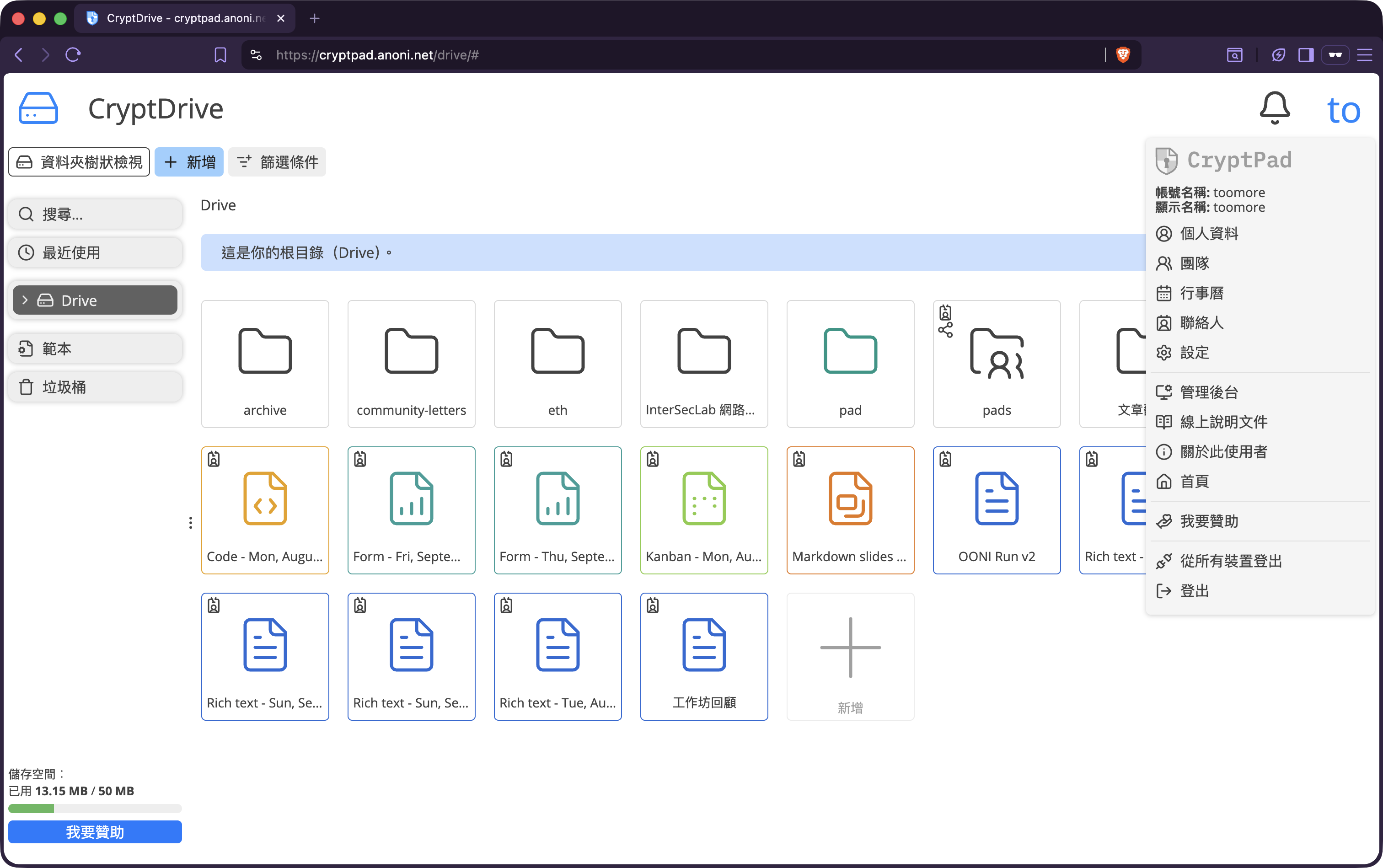
CryptPad's Drive is the entry point, and one account opens all of these:
- Rich Text: a WYSIWYG editor comparable to Google Docs, the most used
- Document: advanced word processing through OnlyOffice, compatible with
.docx - Sheets: spreadsheets through OnlyOffice, compatible with
.xlsx - Presentation: slides, in Markdown Slides and OnlyOffice modes
- Kanban: project boards, comparable to Trello
- Whiteboard: freehand drawing and sticky notes
- Diagram: through draw.io
- Forms: surveys and data collection
- Calendar
- Code and Markdown editors
Every application inherits the same encryption and permission model, so there is no question of one being safer than another. All of them are zero-knowledge.
Sharing and permissions
Opening a pad and clicking Share offers:
- View only: readable, not editable
- Edit: real-time collaborative editing
- Embed: an iframe link for another web page, view only
- Password: a second layer on top of the link, so the link alone will not open it
- Expiry: automatic invalidation after a set time
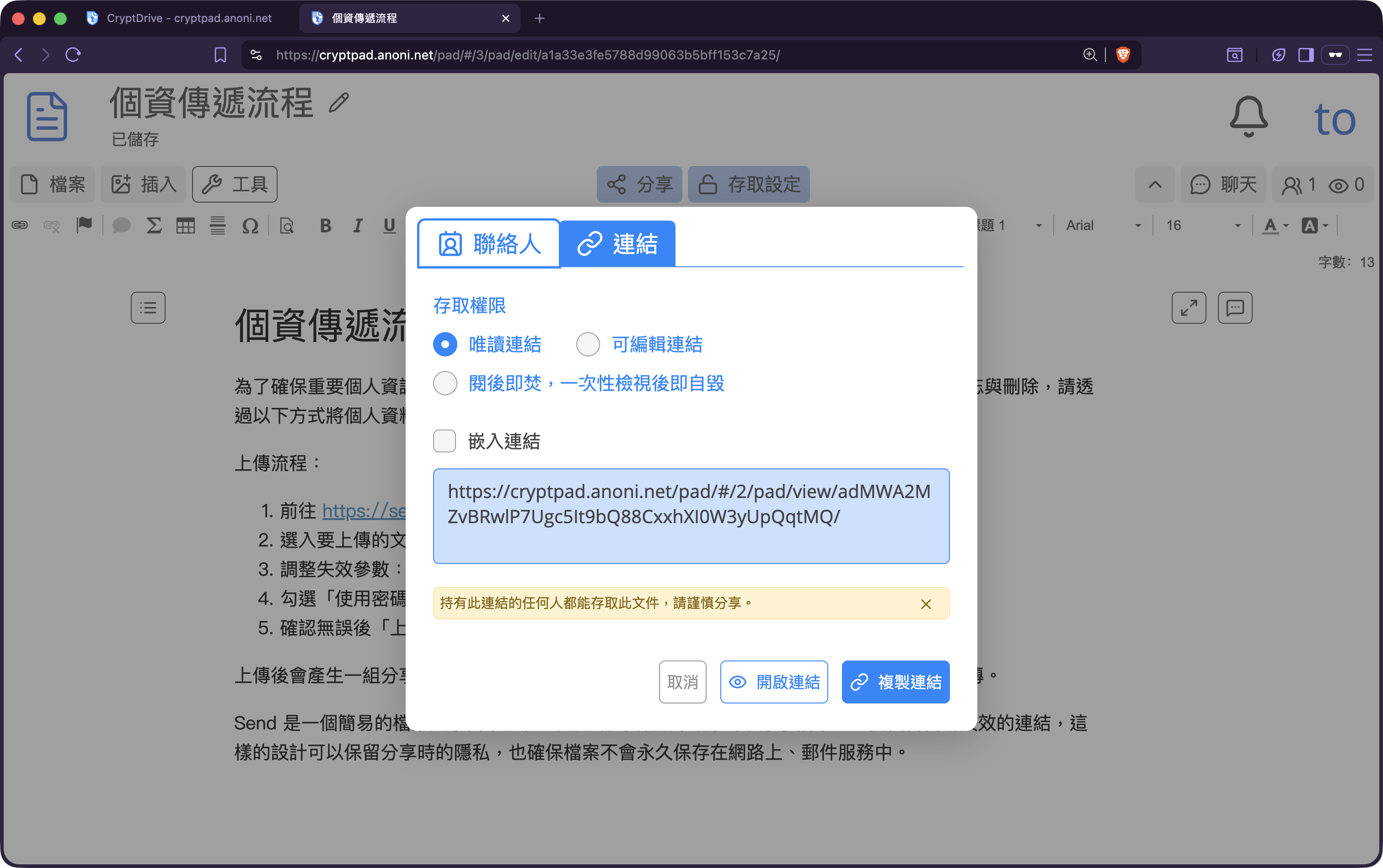
The practical trade-off: the share link is the key. Pasting it into an insecure channel, whether plaintext email, an unencrypted chat platform, or an unverified messaging app, hands over the key at the same time. The standard practice for sensitive collaboration is delivering pad links over Matrix or another end-to-end encrypted channel, with password and expiry enabled where the material warrants it.
Languages
CryptPad ships both Chinese interfaces as of 2026.5.0:
- Traditional Chinese, locale code
zh_Hant, covering Taiwan, Hong Kong, and Macau - Simplified Chinese, locale code
zh_Hans, covering Mainland China, Singapore, and Malaysia
Switch from the settings page after signing in, or append ?lang=zh_Hant or ?lang=zh_Hans to the URL. Accounts previously set to zh_CN or zh_TW fall back to the corresponding new locale codes automatically rather than reverting to English after the upgrade.
The community put two and a half years of upstream translation work into zh_Hant, and the account from first pull request to built-in locale is in CryptPad 2026.5.0 ships Traditional Chinese as a built-in locale. To help with new strings or fix a typo, the zh_Hant project on Weblate is where that happens.
Compared with other collaboration tools
| Dimension | CryptPad | Google Docs | Notion | Etherpad |
|---|---|---|---|---|
| Content encrypted from the server | End-to-end, zero-knowledge | No | No | No |
| Real-time collaboration | Yes | Yes | Yes | Yes |
| Spreadsheets, slides, forms | Built in, through OnlyOffice | Built in | Built in | None |
| Signing up | Invite code at cryptpad.anoni.net, open registration at cryptpad.org | Google account | Email and password | Usually no account |
| Self-hosting | AGPLv3, fully self-hostable | Not possible | Not possible | Open source, self-hostable |
| Fits | Long-term, sensitive, encrypted collaboration | General office work | Knowledge bases, project management | Throwaway shared notes, live events |
Further reading: how end-to-end encryption works covers the cryptographic basis.
When to use it, and when not to
Good for:
- Collaborative documents that need to persist and stay unreadable to the platform: meeting records, investigation notes, whistleblower statements, sensitive strategy drafts
- Cross-organizational work where nobody wants the material consolidated in one party's cloud
- Small teams and communities replacing Google Workspace while keeping several document types
- A single body of work spanning tables, prose, and a board, all of which has to be encrypted
Not good for:
- One-off public collaboration, where Etherpad is enough and encryption is not a requirement
- Large-scale real-time chat, which is what Matrix is for
- Anything requiring AI summarization or full-text search across a whole database
- Video calls, which CryptPad does not do
Getting started
1. The community instance at cryptpad.anoni.net
- Entry point: https://cryptpad.anoni.net/
- Getting an account: write to whisper@anoni.net for an invite code. The default quota is 50 MB and can be adjusted. No email address is required and no real name is bound, matching the Matrix process
- Suits: people who trust community operation, want lightweight account management, or want to support a regional instance
2. The upstream instance
- Entry point: https://cryptpad.fr/, the official XWiki instance
- Getting an account: open registration with an email address
- Suits: people who prefer connecting to the service XWiki operates directly, or who just want to try it
3. Self-hosting
- AGPLv3, with source on GitHub
- Deployment instructions in the CryptPad admin documentation
- Suits: internal organizational collaboration, specific compliance requirements, or full control over retention policy
Common questions
What if I lose the key?
The content cannot be recovered, and the operators do not have your key either. That is the cost of zero-knowledge. Keeping login passwords and important pad links in a password manager is the practical answer.
What if a share link gets forwarded?
The encryption is unchanged, and anyone holding the original link, including the key after the #, can open it. Prevention: enable the password option when creating the pad, set an expiry, and deliver links over an end-to-end encrypted channel such as Matrix. If you know a link has leaked, create a new pad, copy the content across, and abandon the old link.
Does it work from Mainland China?
Neither cryptpad.anoni.net nor cryptpad.org has hosting arrangements for Mainland China, so connections there may be unstable or blocked. Combining it with Tor Browser and Snowflake bridges, or working inside Tails, is the usual approach. The content is end-to-end encrypted regardless of whether you arrive over Tor, a VPN, or directly. The only question is reachability.
CryptPad or Etherpad?
It depends on the purpose. Etherpad suits temporary, disposable, unencrypted shared notes such as live event records or brainstorming, with no account needed and access by link. CryptPad suits long-term, sensitive, encrypted collaboration, requiring an account while keeping content invisible to the server. The community runs both, and the division is described on Community services.
Can I use AI summarization or automatic translation?
No. Zero-knowledge means the server cannot see the content, so server-side AI services cannot read your pad either. Using AI on CryptPad content means copying it out in the browser first and deciding for yourself which service to hand it to, along with that service's privacy implications.
Is it free? Will the quota start costing money?
cryptpad.anoni.net is community-operated with no plans to charge. The default quota is 50 MB, and more can be discussed by email. The upstream cryptpad.fr has free and paid plans. The AGPLv3 source is free to self-host permanently.
How do I migrate existing documents in?
Drive imports .docx, .xlsx, and .pptx. Export from your current tool and upload. OnlyOffice is stricter about format compatibility than Google Docs, so complex tables and nested formatting may need manual adjustment.