Skip to content

Technology

Storing the whole docs site and its tools on a device, so they open with the network off

When the network drops, the page you most want to open is often the one that will not open. On a flight, in the mountains, in a new country before you have found a SIM, that is an inconvenience. Where the network is cut, throttled or blocked, the same thing costs something else entirely.

From 4 to 6 September we were at Global Gathering 2026 in Estoril, Portugal. Alongside our booth on the last day we joined the Circles, where we talked about how the privacy material on the docs site is written and how it is layered. The conversation kept returning to one premise: the moment a reader needs these pages is not reliably a moment with a working connection.

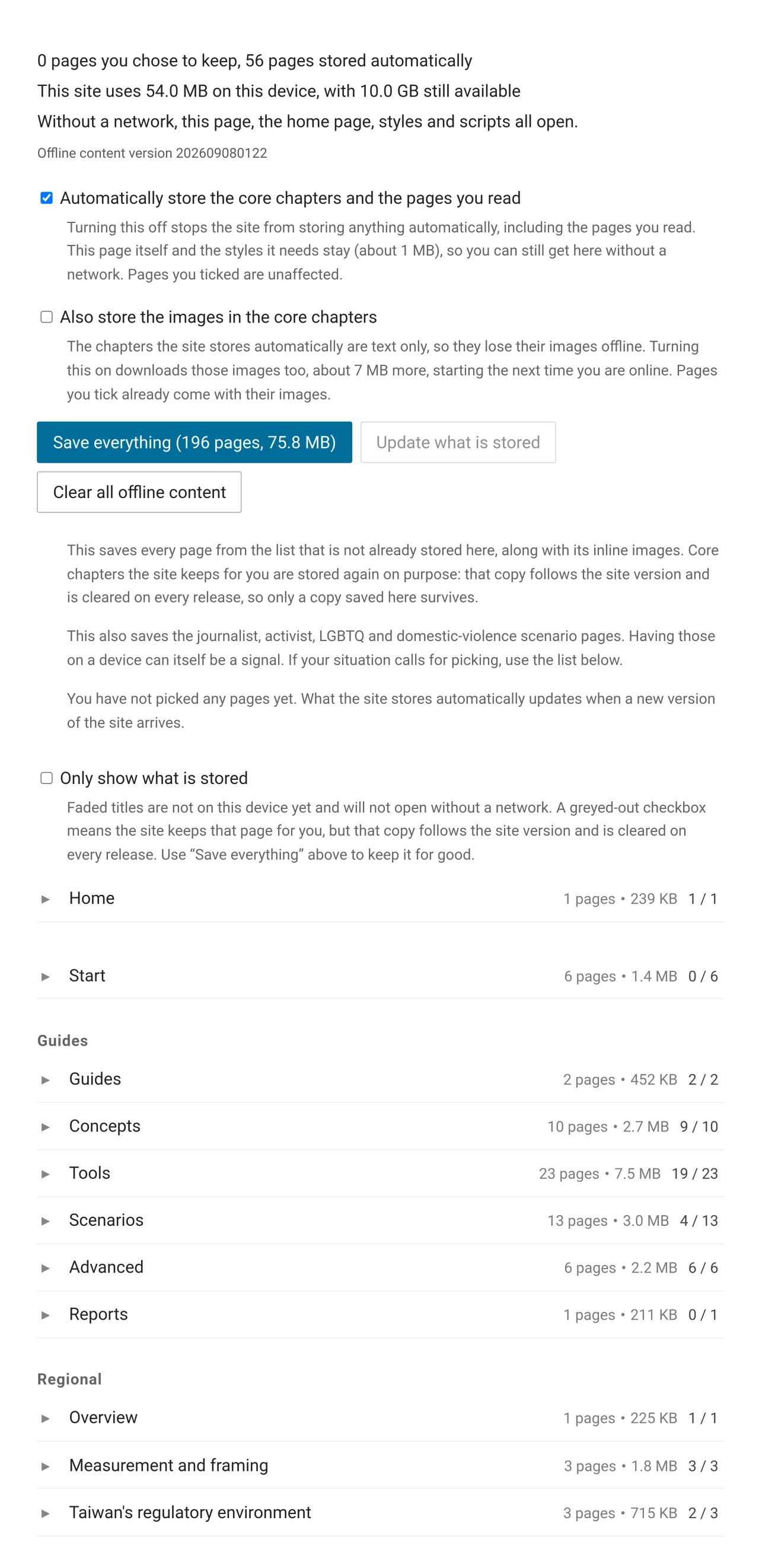
The top of the offline reading page: storage totals, the automatic-storage and inline-image switches, and the Save everything, Update what is stored and Clear all offline content buttons

How 292 Asian loanwords ended up in an English passphrase wordlist

We are a group of volunteers working on anonymity networks and internet freedom, based in Taiwan. We maintain this documentation site. The community also built asian-diceware, a 7,776-word English passphrase wordlist that drops straight in for the EFF Large Wordlist, with one difference: it pins 292 Asian loanwords that English dictionaries already carry. tofu, oolong, boba, and kimchi are all in there.

The tool page already covers how to use it, and the passphrase generator in the tools section is one click away. This post covers the other half: how the words were picked, and what got rejected along the way.

How 292 Asian loanwords ended up in an English passphrase wordlist

Eight new tools on the docs site, all running in the reader's own browser

We are a group of volunteers working on anonymity networks and internet freedom, based in Taiwan. We maintain this documentation site, a practical guide to privacy and anonymity sorted by scenario for everyday life, sensitive work and high risk.

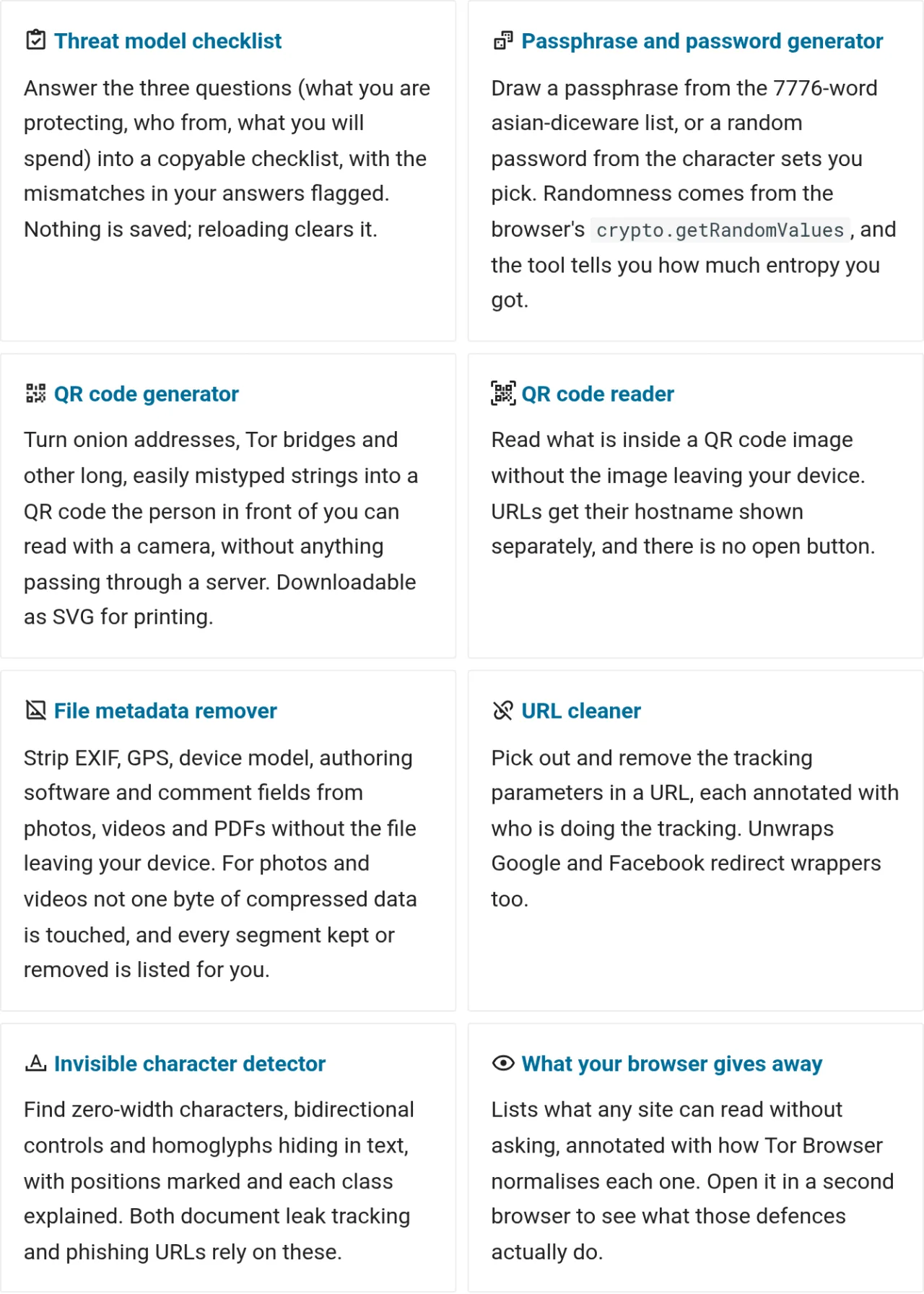
The articles on this site explain how to protect yourself. The tools section holds the things you can actually press. All eight compute in the reader's browser, send nothing anywhere, and keep working with the network off once stored on a device.

The tools index, eight cards each naming a tool and what it is for

Brave flattens GPU fingerprints two opposite ways

Open a web page and the JavaScript on it can read your graphics card model, its driver details, and the hardware features it supports. Those answers barely change on a given machine, so a tracking company can combine them with other device traits into an identifier that needs no cookie, asks for no consent, and follows you between sites.

The graphics card is one source among many. Font lists, screen dimensions, time zone, and audio processing all feed the same identifier. A browser fingerprint cannot be cleared the way a cookie can covers how the whole mechanism works, why clearing cookies does nothing, and where each browser currently stands. This piece stays with the graphics card.

Brave has handled these signals since version 1.93, on by default on desktop and Android, rolling out in stages1. Three protections ship together: the WebGL vendor and renderer strings become one generic string shared by every Brave user, the WebGPU hardware description fields are cleared, and the list of supported WebGL extensions gets noise added to it.

The first two make every user look alike. The third makes one user look different on every site. Two opposite techniques arrived in the same release, each assigned to a different API, and where that line falls is also where Brave and Tor Browser part company on fingerprinting.

OONI is guarding its data against bad measurements — what that means if you build on it

We build on OONI's public dataset. Our own work tracks how well Taiwan and the wider APAC region are actually observed in that data, and our Run v2 census mapped how the whole Run v2 ecosystem gets used. So when OONI published a long engineering post on [how it detects and mitigates faulty measurements]1 — alongside a new anonymous-credential system now rolling into production — we read it not as OONI insiders but as people downstream who use this data to make claims about a thinly-observed part of the world.

Here is what stands out from that seat.

OONI Run v2 usage census

Worldwide, OONI Run v2 has produced 14.17 million measurements, and just three lists account for 72% of them. The highest-volume lists all work the same way: each one targets a single censorship or blocking phenomenon, and a continuously-running measurement backend executes it on a schedule, accumulating data over time. We surveyed every Run v2 link to measure how concentrated this is, and to draw out what the pattern offers communities that want to run their own local connectivity observation.

OONI (the Open Observatory of Network Interference) is a global censorship-measurement project. Its mobile app, OONI Probe, runs through a list of websites and reports whether each one is reachable from where you are. OONI Run v2 lets anyone compose their own list of sites to watch, generate a link, and have others run that list with one tap in OONI Probe, with every result flowing into OONI's public dataset. You can define your own measurement targets without writing code, yet few people know the feature exists or have used it, which is exactly why we wanted to see how it is actually used.

What is Differential Privacy?

This article is based on the original explainer by fria at Privacy Guides:

Can you collect data from a large group of people while still protecting each individual's privacy? Differential privacy answers yes — with a mathematical proof to back it up. This article introduces the concept, traces its history from early anonymization failures to real-world deployments, and explores what it means for users and policymakers in Taiwan and the broader Chinese-speaking world.