Tor Traffic Flow
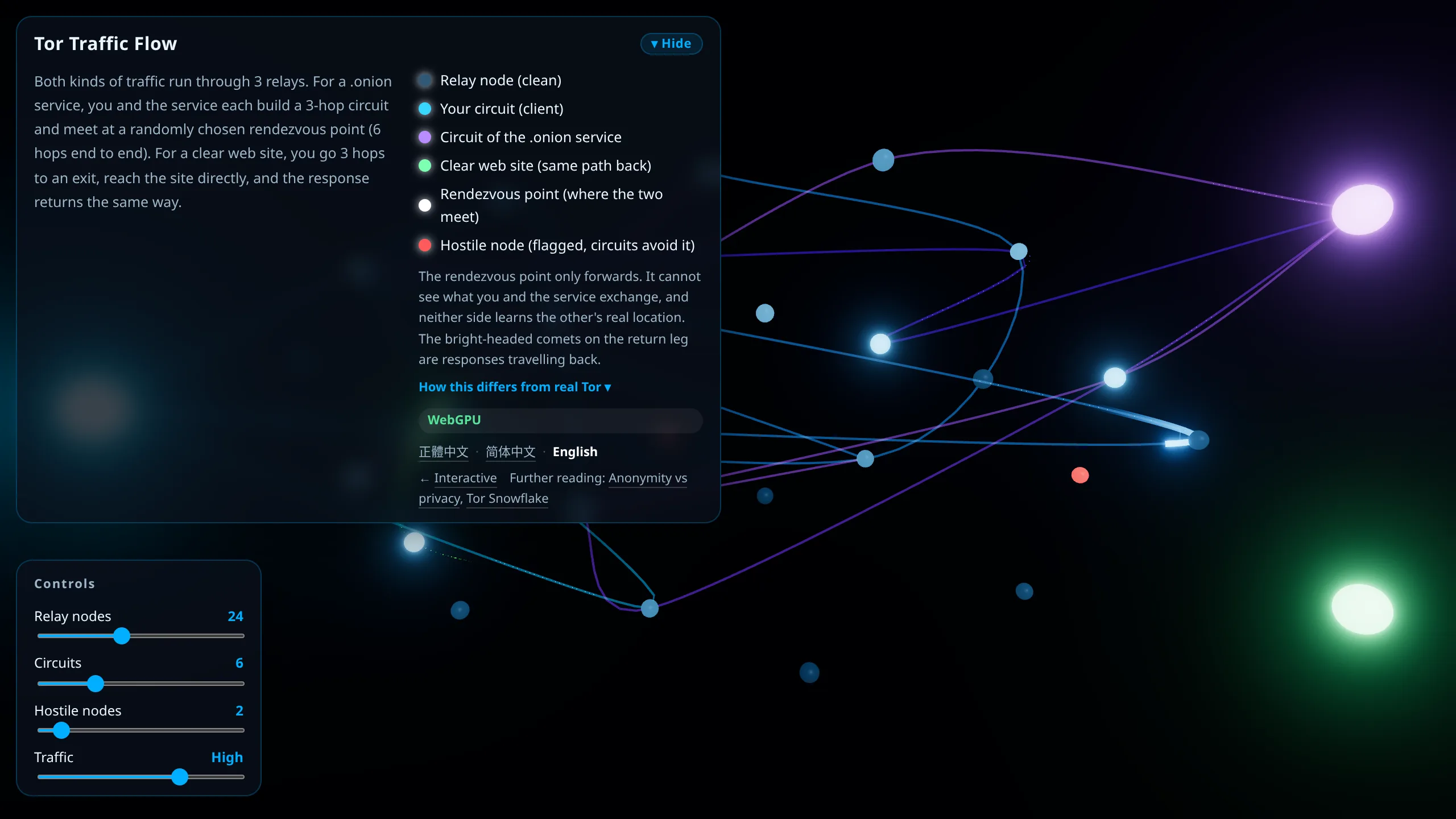
The one work you can just watch. What runs on screen are Tor's two traffic paths, drawn with small glowing particles and afterimages so you can see which stops a packet is moving between.
The two paths
Both kinds of traffic run through 3 relays. The difference is in the second half.
For a .onion service, you and the service each build a 3-hop circuit and meet at a randomly chosen rendezvous point, 6 hops end to end. The rendezvous point only forwards; it cannot see what the two sides exchange, and neither side knows the other's real location. On screen your circuit runs cyan and the service's circuit runs purple, and the white dot where they meet is the rendezvous point.
For a clear web site there is only one circuit. You go 3 hops to an exit, the exit reaches the site directly, and the response returns the same way. This one runs green, and the comet with a bright head on the return leg is the response coming back.
The red nodes are relays already flagged as harmful, and circuits route around them.
Four things you can adjust
The sliders in the lower left take effect immediately:
- Relay nodes: how many relays are available on the field
- Circuits: how many connections run at once
- Harmful nodes: how many red nodes there are, so you can watch circuits avoid them
- Traffic: particle density and speed
Clicking anywhere adds another connection, dragging pans the view, and scroll or pinch zooms.
How it differs from real Tor
The work's own notes panel lists the same points; here they are as three.
Introduction points are left out. In reality a service publishes a list of introduction points, and before connecting you look up that list, choose a rendezvous point, and quietly tell the service through an introduction point. The scene drops that whole step to keep the picture clean.
Every connection re-draws all 3 hops. In real use your entry node (guard) stays fixed for weeks at a time and only the middle and exit change often. Re-drawing everything is what makes it possible to show many circuits at once.
Red nodes represent relays already flagged as problematic. Real Tor path selection only excludes nodes that have been flagged, and a malicious relay that has not been caught yet can still be picked. Tor's safety comes from splitting the path so that no single party can see both who you are and what you are connecting to.
Further reading
- How Tor actually works: What is Tor?
- Anonymity and what it does not cover: Anonymity vs privacy
- Getting through when Tor is blocked: Tor Snowflake bridges
- The other two works: Interactive