Eight new tools on the docs site, all running in the reader's own browser
We are a group of volunteers working on anonymity networks and internet freedom, based in Taiwan. We maintain this documentation site, a practical guide to privacy and anonymity sorted by scenario for everyday life, sensitive work and high risk.
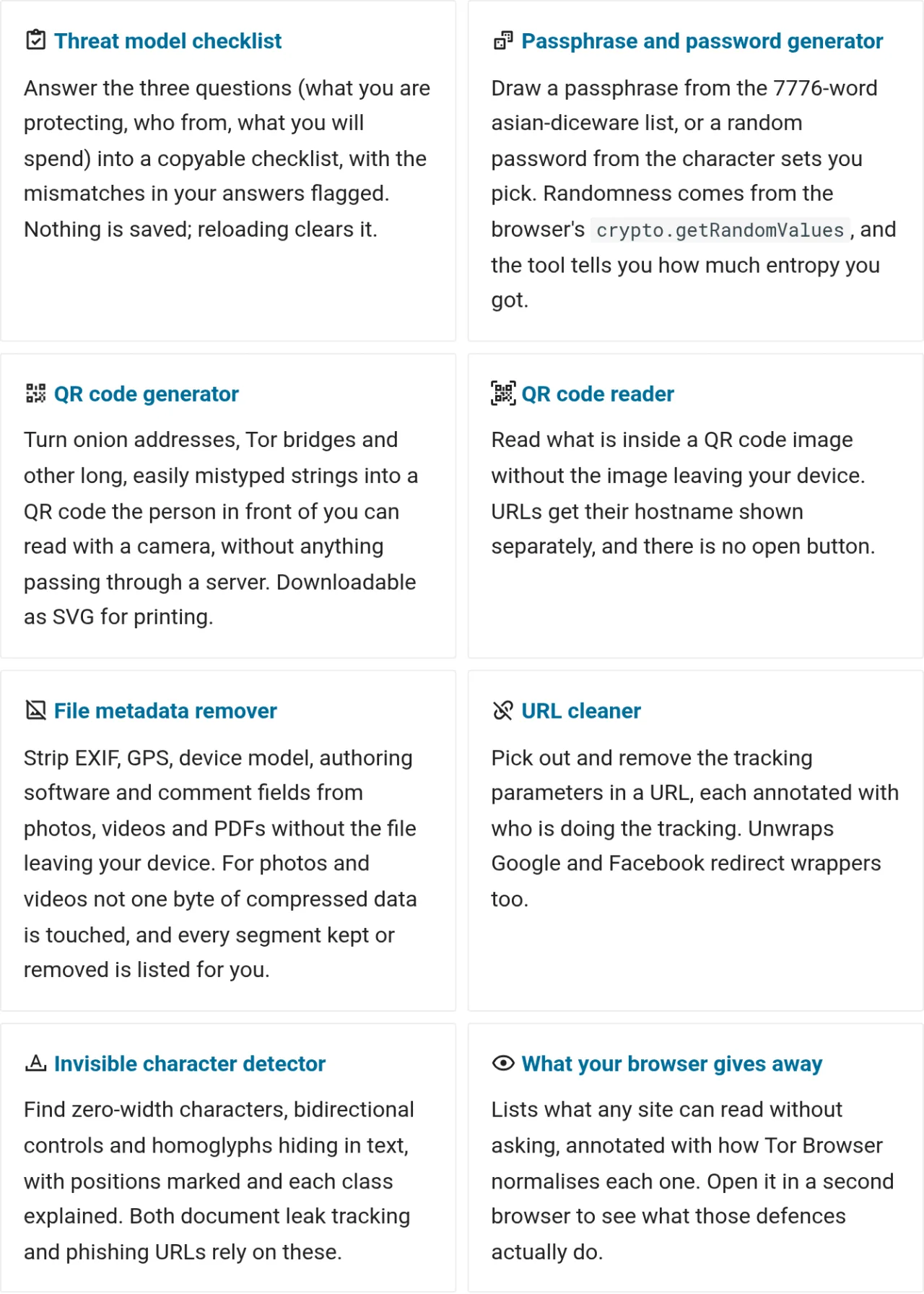
The articles on this site explain how to protect yourself. The tools section holds the things you can actually press. All eight compute in the reader's browser, send nothing anywhere, and keep working with the network off once stored on a device.
It started with photo metadata
What metadata is covers how a photograph carries capture time, camera model and GPS coordinates, and how stripping EXIF before uploading is the cheapest protection available to anyone today.
Almost every online remover asks you to upload the file first, and the people who need one are the people who should least be handing over an original. Password generators, QR code readers and URL cleaners share the same contradiction: the thing you want to process is the thing that should not leave your hands.
Moving the computation into the reader's own browser resolves it, at the cost of staying inside what a browser can do. Anything that needs an external service to work stays out of this section. For network measurement use OONI Probe, which is built for that purpose and publishes how it handles the data.
The eight look unrelated, and one test decides what gets in: the thing being processed is itself something that should not leave your hands. Coordinates inside a photo, a master password just generated, a QR code nobody has checked, a document that may carry a mark, a checklist that states who you are defending against, none of them belong on someone else's server. The threat model checklist and the invisible character detector sit further from the metadata starting point, and they are in for the same reason.
Four rules that apply to all eight
- Computed on your device: everything happens in the browser, and nothing is sent anywhere
- Works offline: once stored on a device the tools run with the network off, whether the domain is blocked, the connection is cut, or there is no signal at all
- Source is public: the code sits in anoni-net/docs, so anyone who reads code can verify it
- JavaScript required: the computation runs on the reader's device, so the pages do nothing when JavaScript is disabled
To check the first rule yourself, open the network panel in your browser's developer tools, run any of the tools over some data, and watch for outbound requests. It takes under a minute, which is faster than reading the source.
One conflict if you use Tor Browser
Setting Tor Browser's security level to Safest disables JavaScript, and all eight tools stop responding. The conflict is that the same guidance recommends raising the level for phishing links of unknown origin and unfamiliar domains, and receiving a suspicious link is exactly when you would want the invisible character detector or the QR code reader.
Handle the two separately. Open the suspicious site at the higher level, copy out the text or image, switch back to Standard to examine it, then raise the level again. The tools make no outbound connections, so opening them at Standard adds nothing to your exposure on that site.
Start by answering three questions
The threat model checklist turns "what are you protecting, who from, and what will you spend" into a copyable plain-text summary, along with a list of pages to read first. The tiers match how to build a threat model exactly: four asset classes, six adversary levels, three cost levels.
Each answer looks reasonable on its own, and together they may not be. The checklist flags the combinations that do not add up: a state-level adversary against the lowest cost tier, protecting yourself from someone close without listing your devices, defending against casual bystanders while planning to rebuild your whole workflow.
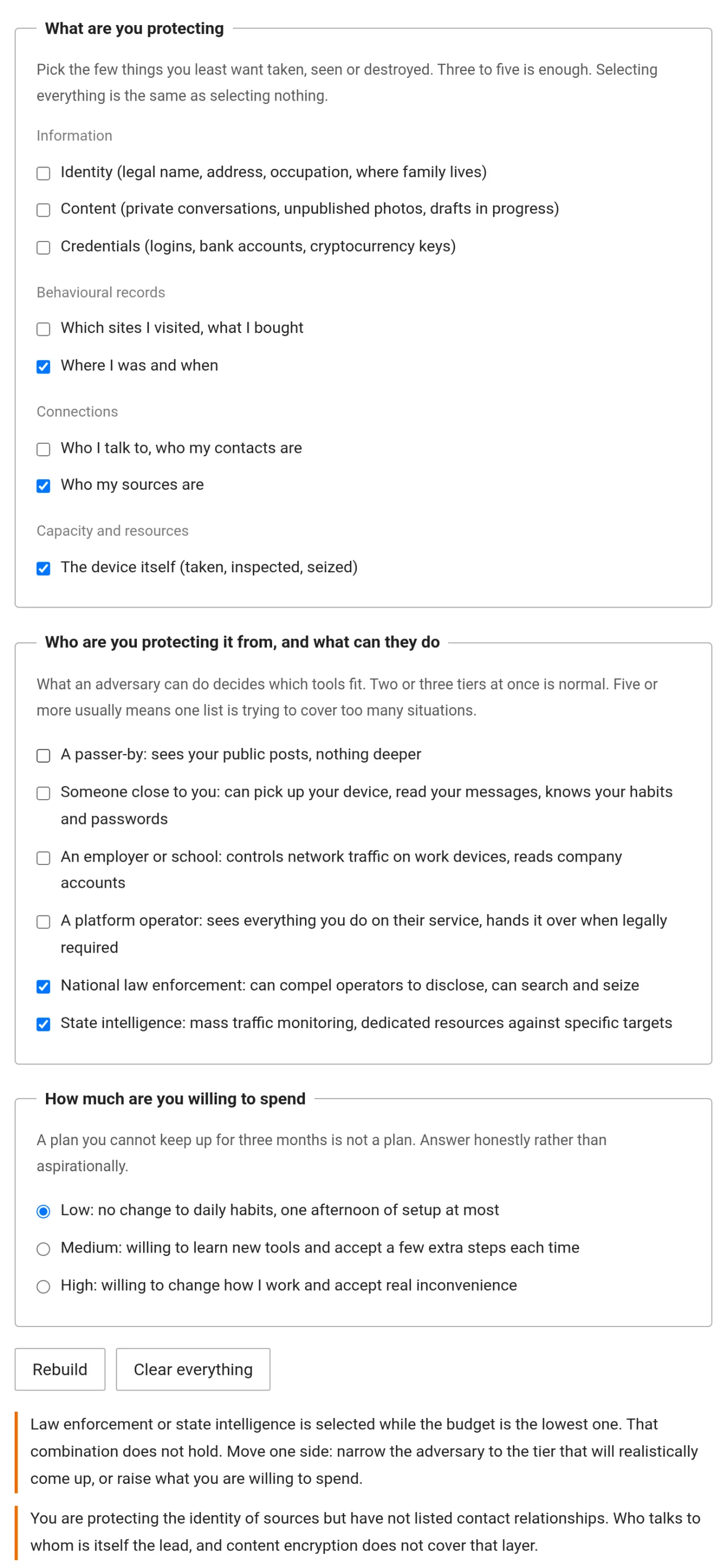
Answers stay in that browser tab. Nothing is written to localStorage, IndexedDB or cookies, and reloading clears everything. "The person I am protecting myself from is my partner" is the last thing that should be left on a device, and that device is very likely within the other person's reach. To keep a copy, press the copy button and paste it somewhere you chose. A test in tools/test_threatmodel.mjs guards that nothing is persisted, so nobody adds storage later for convenience.
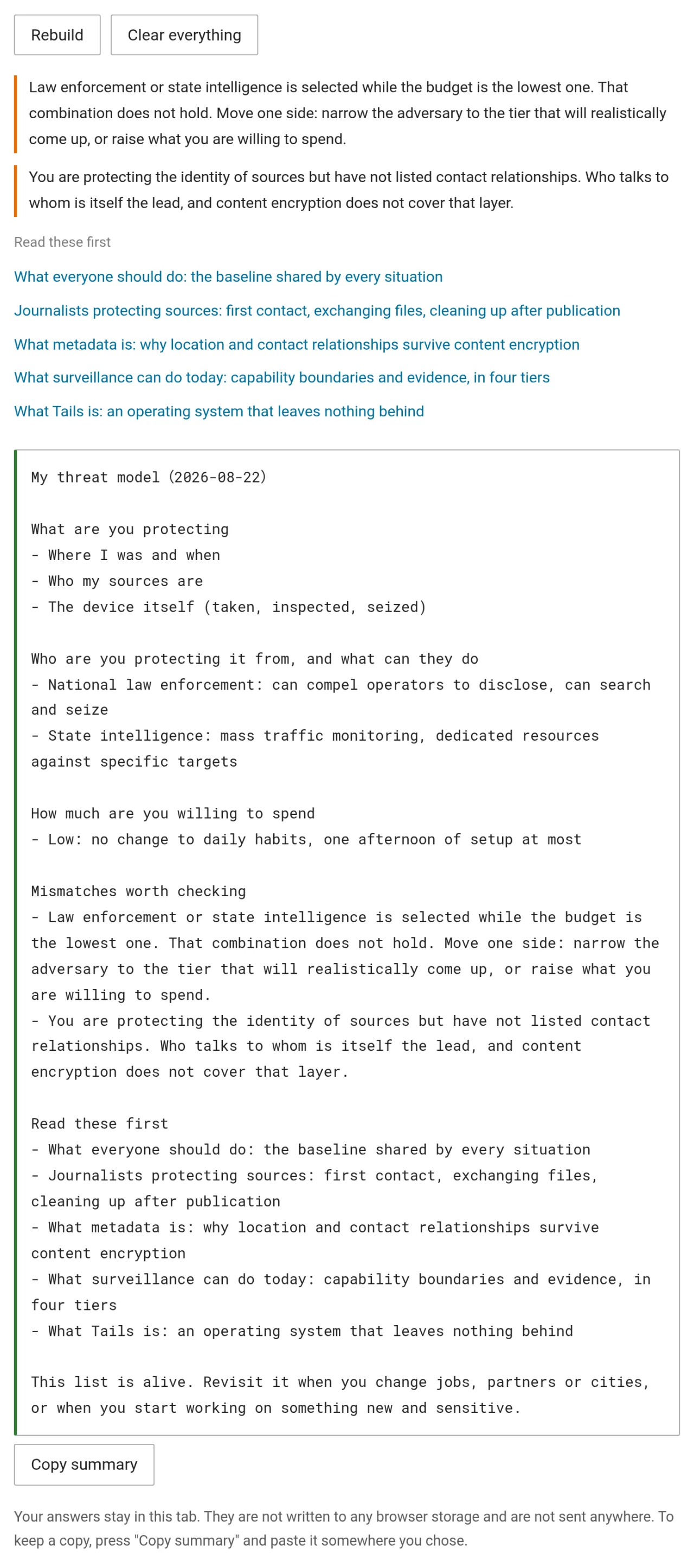
The best moment to open it is when you have just joined a group, been told to take security seriously, and have no idea where to start. Answer it again after changing jobs, moving city, taking up a new issue, or living through a security incident.
Things you hand to someone else
Passphrase and password generator
The passphrase and password generator draws from the 7776-word asian-diceware list, or draws a random password from the character sets you tick. Randomness in both modes comes from crypto.getRandomValues, and sampling discards the remainder that does not divide evenly and redraws, so every word has exactly the same chance. Six words is roughly 77.5 bits, and the page states the figure.
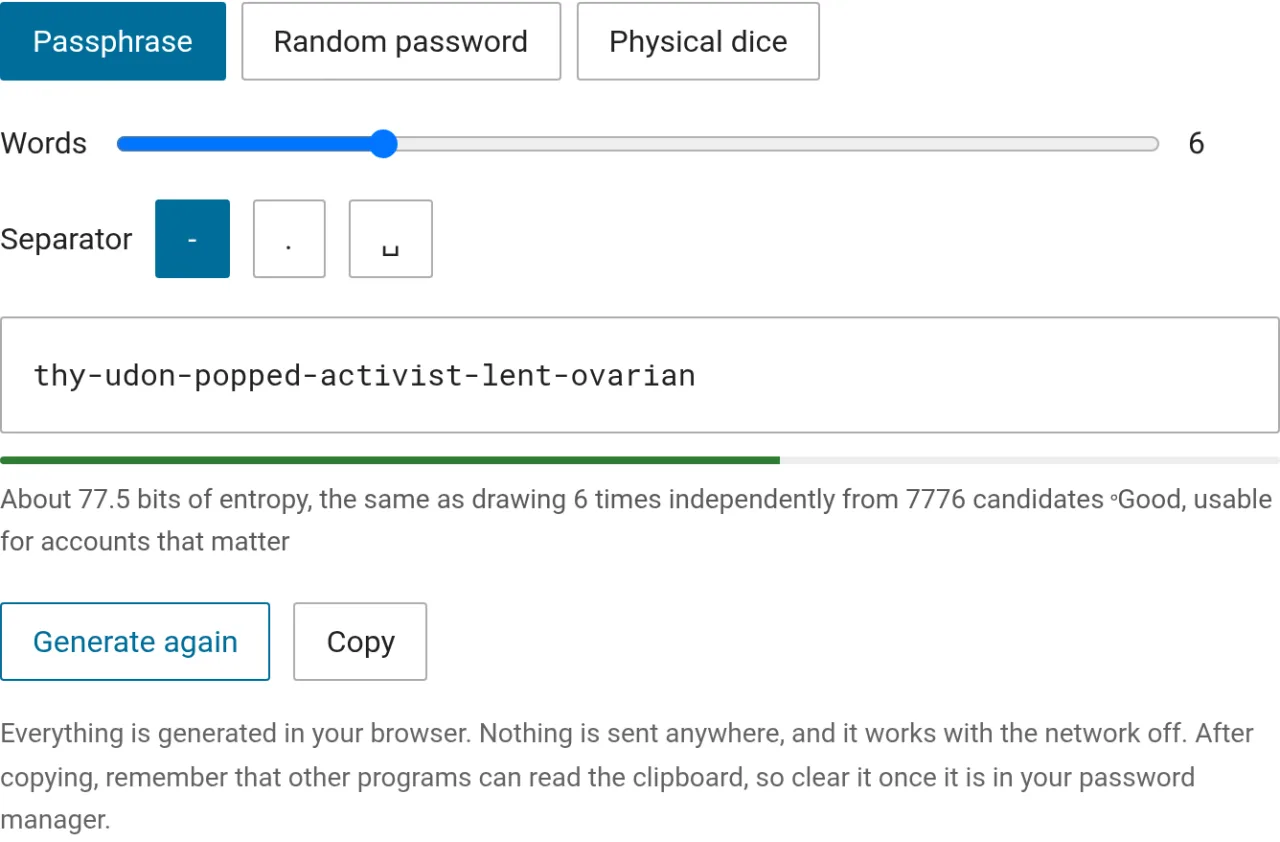
If you suspect the computer in front of you has been tampered with, switch to the physical dice mode. The word list is itself the encoding: the first word is 11111 and the last is 66666. Roll five dice, press the numbers as they land, and each round looks up one word. The randomness comes from your own hands and the program is reduced to a lookup table. Downloading the full table gives you 7776 lines of plain text, after which the page is no longer needed.
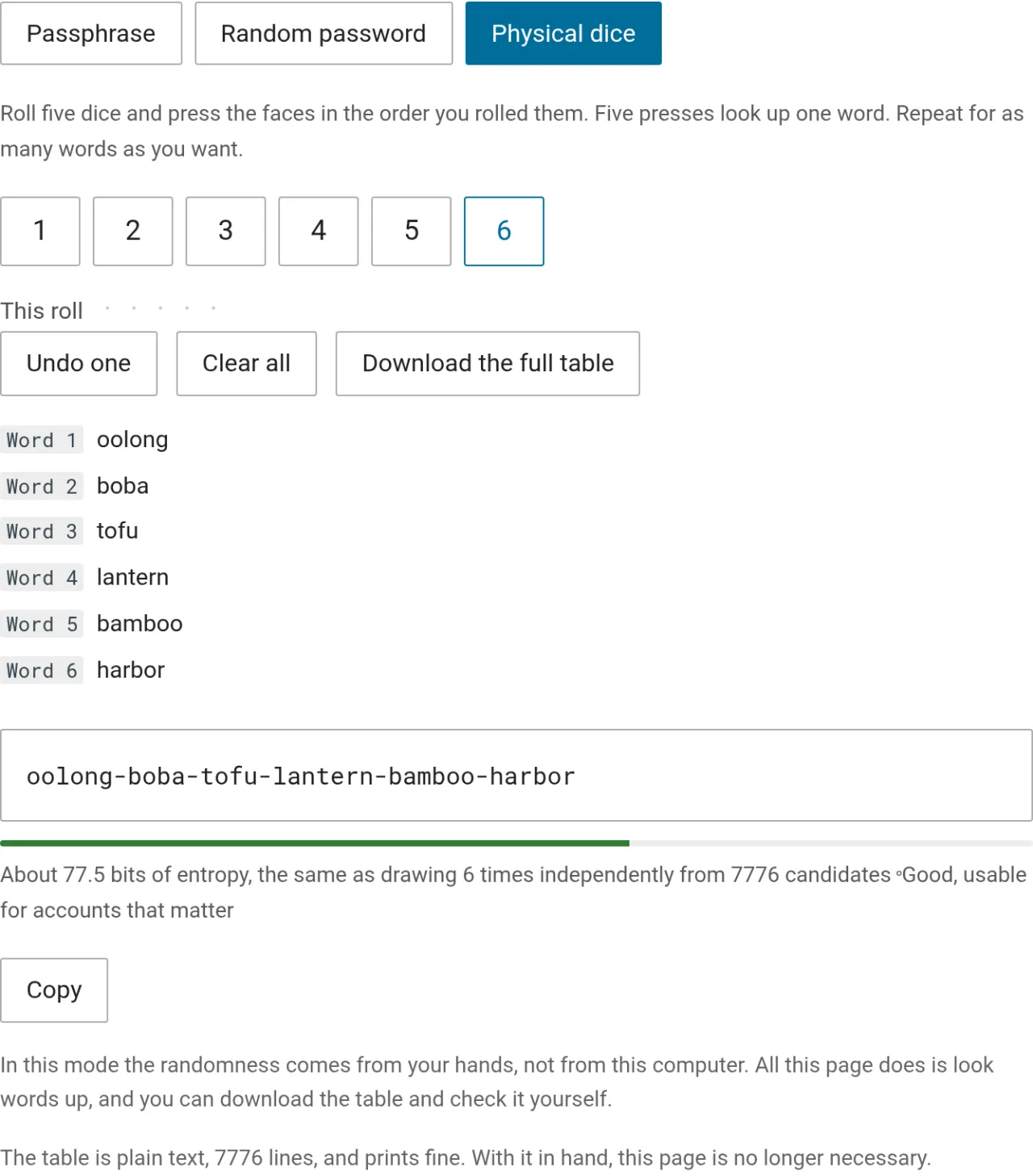
Master passwords for a password manager and disk encryption passphrases, the ones you set once and keep for years, are what this is for. After copying, overwrite the clipboard with something unrelated, since phone clipboards are commonly shared across apps.
QR code generator
The QR code generator turns a long, easily mistyped string into a code the person in front of you can read with a camera. A registration link, a handout URL, a one-off contact detail all work, as do a 56-character onion address and a bridge line carrying an IP and a fingerprint. Nothing passes through a server and no message history is left behind.
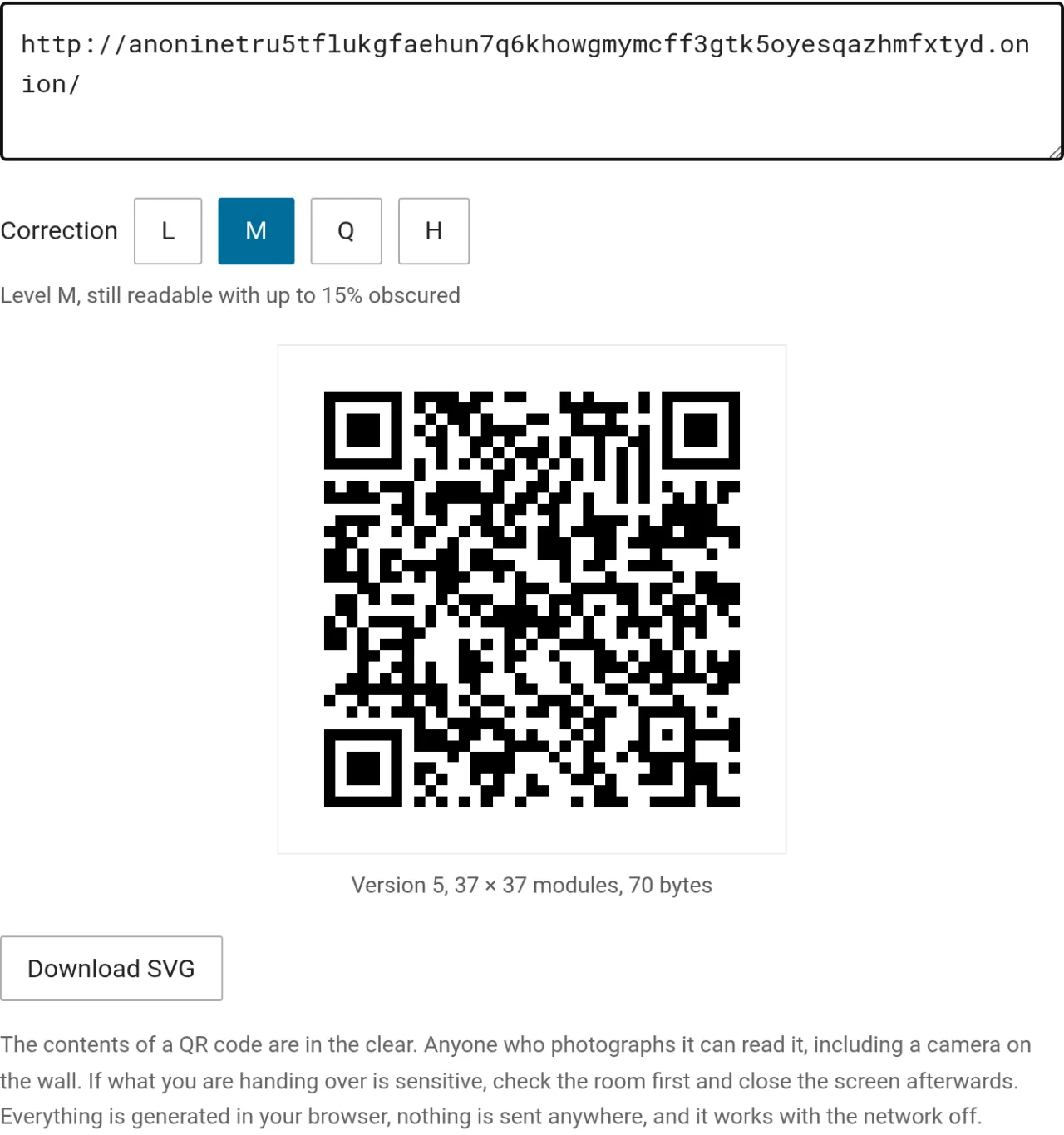
A QR code carries plaintext. Anyone who photographs the image can read it, including the camera on the wall and the person behind you. Anything that must stay confidential belongs in an end-to-end encrypted channel. When printing, set error correction to Q or H, because paper creases and gets dirty.
The moment it earns its place is handing a link to someone in the room when the network is not convenient. Passing a bridge line to a workshop participant is the classic case: read it aloud and neither of you is sure whether that was a capital O or a zero, whereas showing a QR code to scan gets it right the first time.
When something arrives from an unknown source
QR code reader
The QR code reader decodes the image in your browser, and the image never leaves the device. When the payload is a URL it isolates the hostname and deliberately offers no button to open it, so you confirm the host before pasting it into a browser yourself.
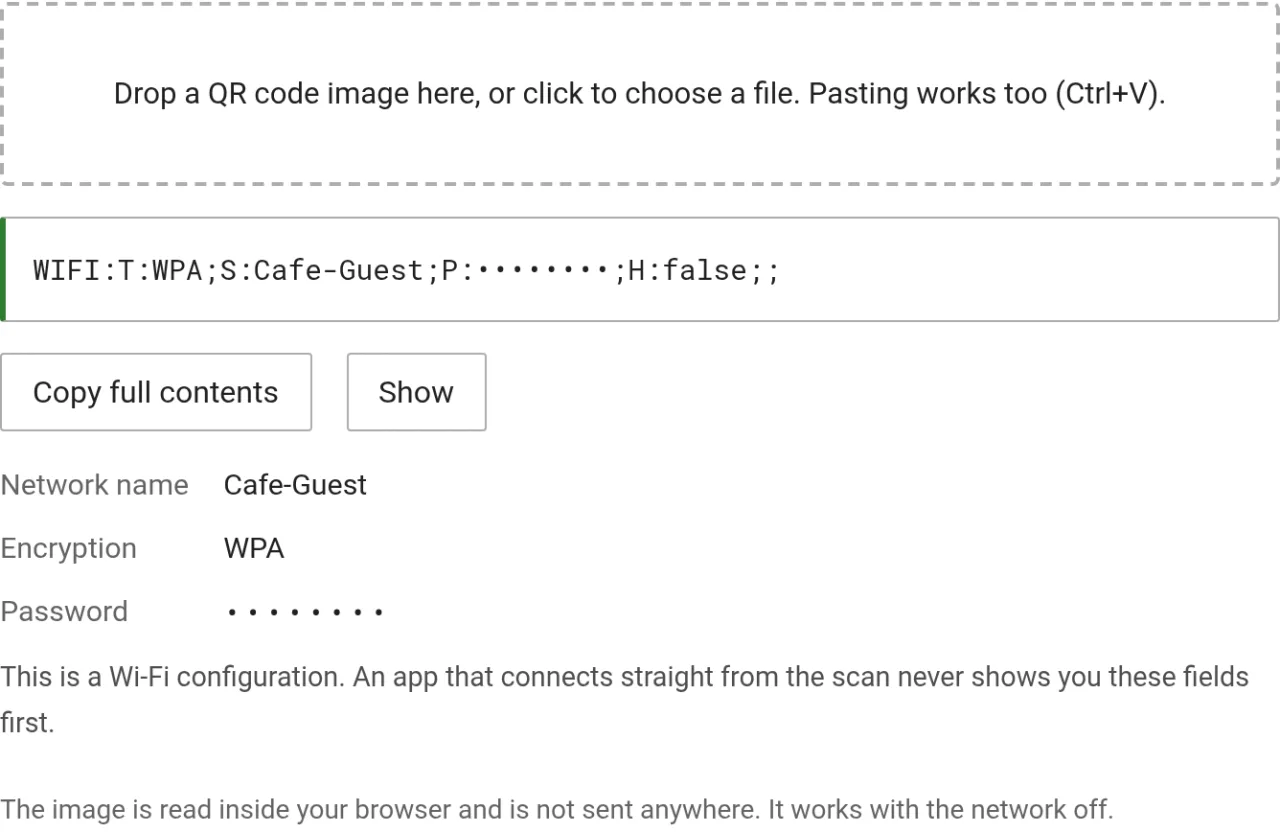
Wi-Fi credentials, two-factor enrolments, prefilled mail and SMS, coordinates and vCards are all recognised, the fields are broken out and labelled, and passwords are masked by default. A nopass Wi-Fi network, an otpauth: payload carrying a secret, and anything starting with javascript: each get an extra warning, because pressing those has consequences quite unlike opening an ordinary link.
A QR code sticker on a parking meter that looks no different from the real one, or a business card handed over by someone you just met, are both worth checking before acting on.
Invisible character detector
The invisible character detector finds zero-width characters, bidirectional controls, tag characters and homoglyphs mixed in with Latin letters, marking where they sit and explaining what each class is.
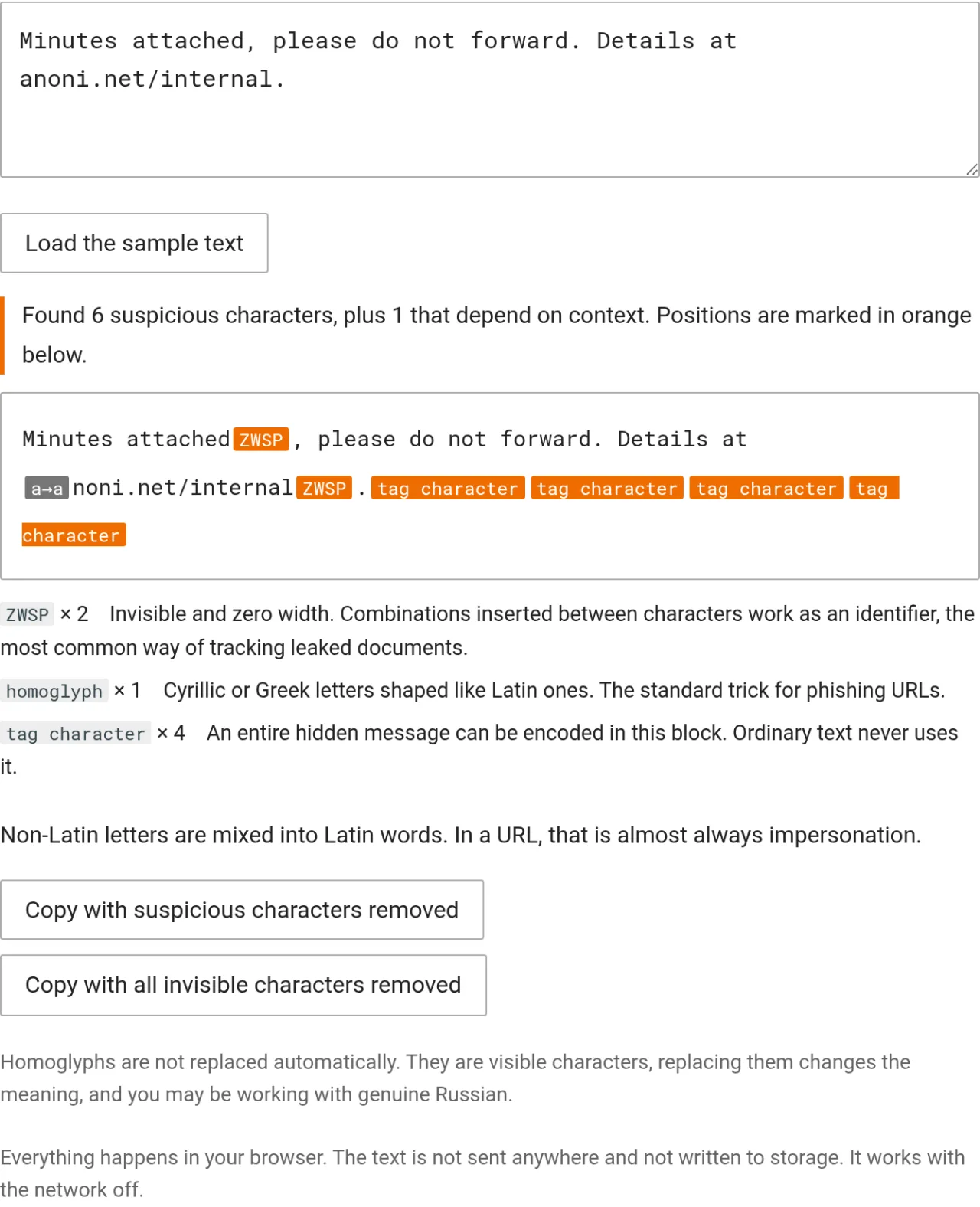
An organisation sends a document to twenty people, each copy carrying a different combination of zero-width characters in different places. The copies look identical, and once one leaks, comparing them identifies which. A journalist who shows the original or pastes an exact passage while checking with the organisation hands the source straight to the people looking for them. The full scenario is in protecting journalistic sources.
The other use of invisible characters is hiding a whole instruction inside text that reads as normal. A person cannot see it and a model can, so scanning untrusted text before pasting it into an AI assistant costs about ten seconds.
The result proves presence, never absence. Zero-width characters are the crudest form of marking, and synonym swaps, blank-line counts, punctuation tweaks and PDF kerning all evade detection, while colour laser printers add a yellow dot grid encoding the printer serial and the time to every page. For genuinely sensitive documents the right move is retyping or paraphrasing rather than passing the original file along.
The community position is to teach detection and not insertion. The same zero-width characters serve a legitimate need when an organisation protects internal documents and become an instrument of oppression when they are used to find a whistleblower, so the tool will not generate marked copies, and the sample text is fixed rather than something you can replace with your own.
Before you send something out
File metadata stripper
The file metadata stripper removes EXIF, XMP, IPTC, authoring software and comment fields. The file never leaves the device, the result is a new copy, and the original is untouched. It handles JPEG, PNG, WebP, GIF, MP4, MOV and PDF, and says so plainly when a file is not recognised rather than quietly handing back something it never processed.
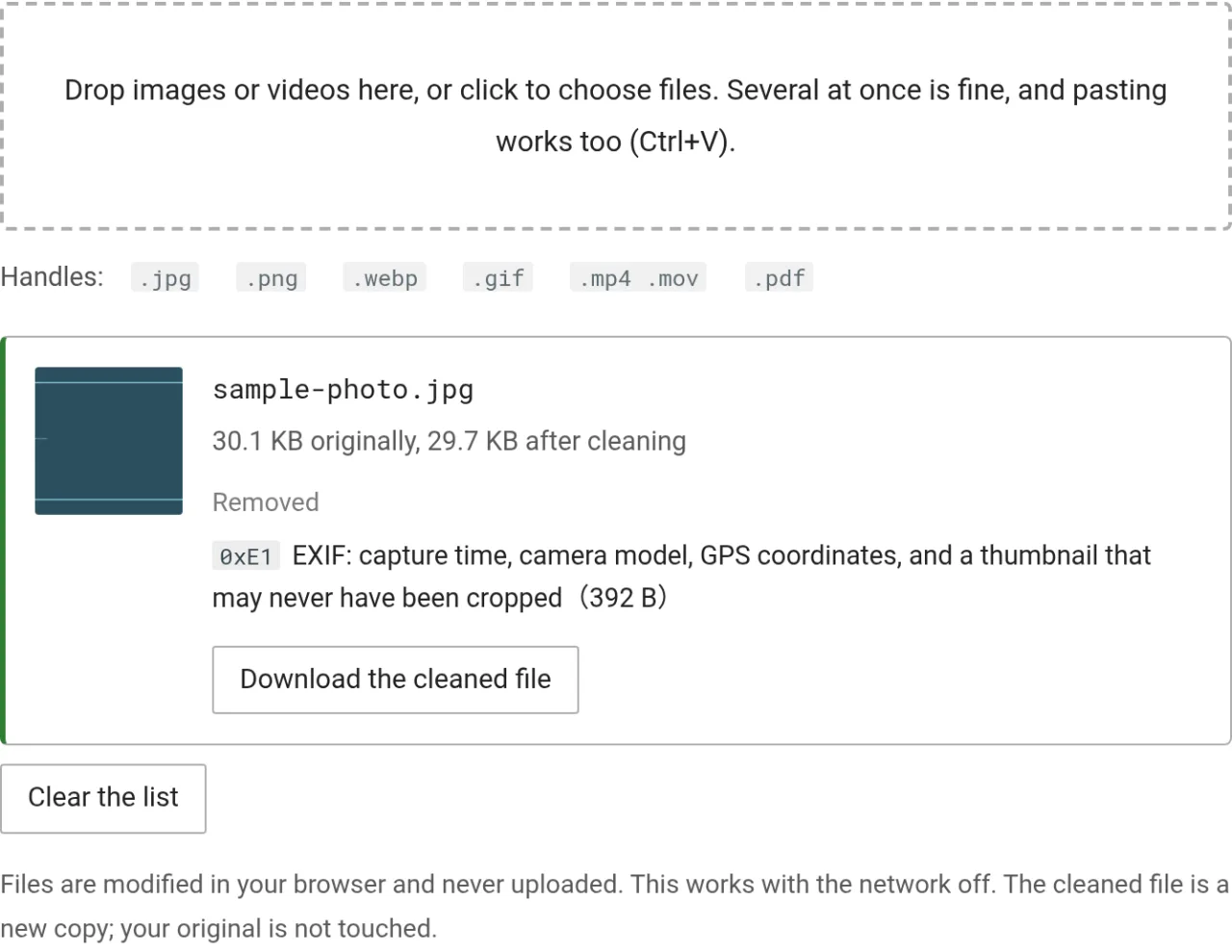
For photos and video the compressed data is copied byte for byte from a fixed offset through to the end of the file, so the result decodes identically to the original. Re-encoding tools cannot make that claim: every recompression costs quality and leaves the tool's own processing signature in the output, which is why a file cleaned with mat2 is recognisably mat2-cleaned.
EXIF also carries an uncropped thumbnail. Crop half the photo away, send it, and the thumbnail may still hold the original full frame. The page lists each item removed and kept, with byte counts and the segment markers used by the file format.
HEIC, which is what an iPhone produces by default, is not handled yet. On iOS, Settings, Camera, Formats, Most Compatible switches capture to JPEG. TIFF, RAW, MKV, WebM, AVI and Office documents are also out of scope. The tool does no face blurring, and street numbers, road signs, uniforms and the view out of the window all live in the image itself, so look at what you are sharing before you share it.
URL cleaner
The URL cleaner picks the tracking parameters out of a URL and removes them, naming who each one reports to, and unwraps Google and Facebook redirect links.
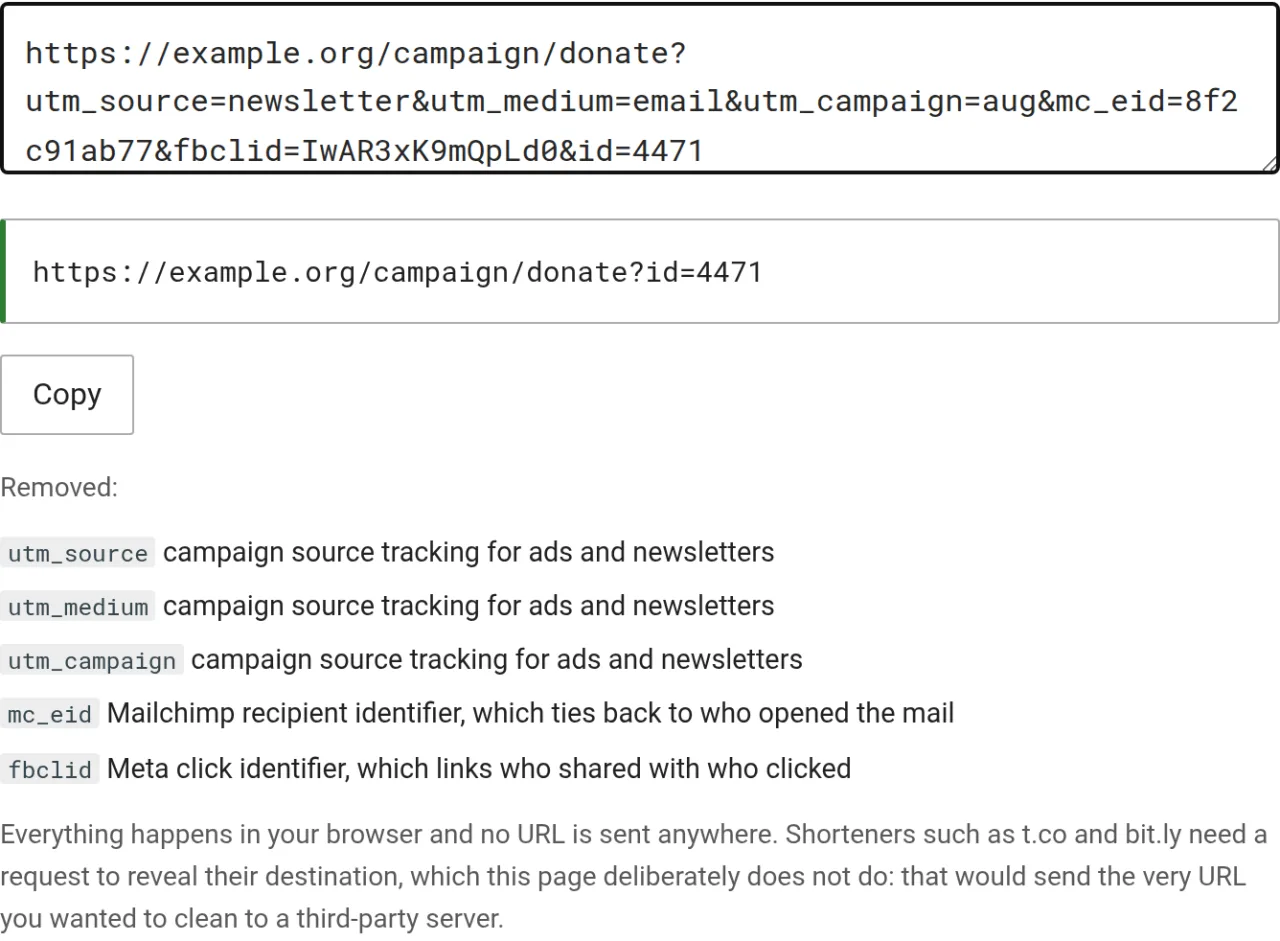
Removal works from an allowlist, handling only the parameters it recognises and keeping everything else. Doing it the other way around strips YouTube video IDs and pagination along with the tracking, and the reader ends up with a URL that opens the wrong thing without ever suspecting the cleaner, blaming whoever sent the link instead.
A URL copied after clicking through Facebook carries fbclid. Paste it into a group chat and everyone who follows it returns to Meta carrying the same ID, which strings the whole chain of clicks together. Forwarding a newsletter link with utm_source on it tells the recipient which newsletter you subscribe to, and mc_eid is more direct still: it is Mailchimp's recipient identifier and maps back to an email address.
Short links are deliberately not expanded, because resolving one sends the URL you were trying to clean to a third-party server, which is the exact thing this tool exists to avoid.
What your browser gives away
What your browser gives away lists what any site obtains the moment a page opens, without asking and without needing consent. Each item shows what Tor Browser reports instead, with the time zone stating plainly "Tor Browser shows: UTC", so opening the same page in another browser gives you a direct comparison.
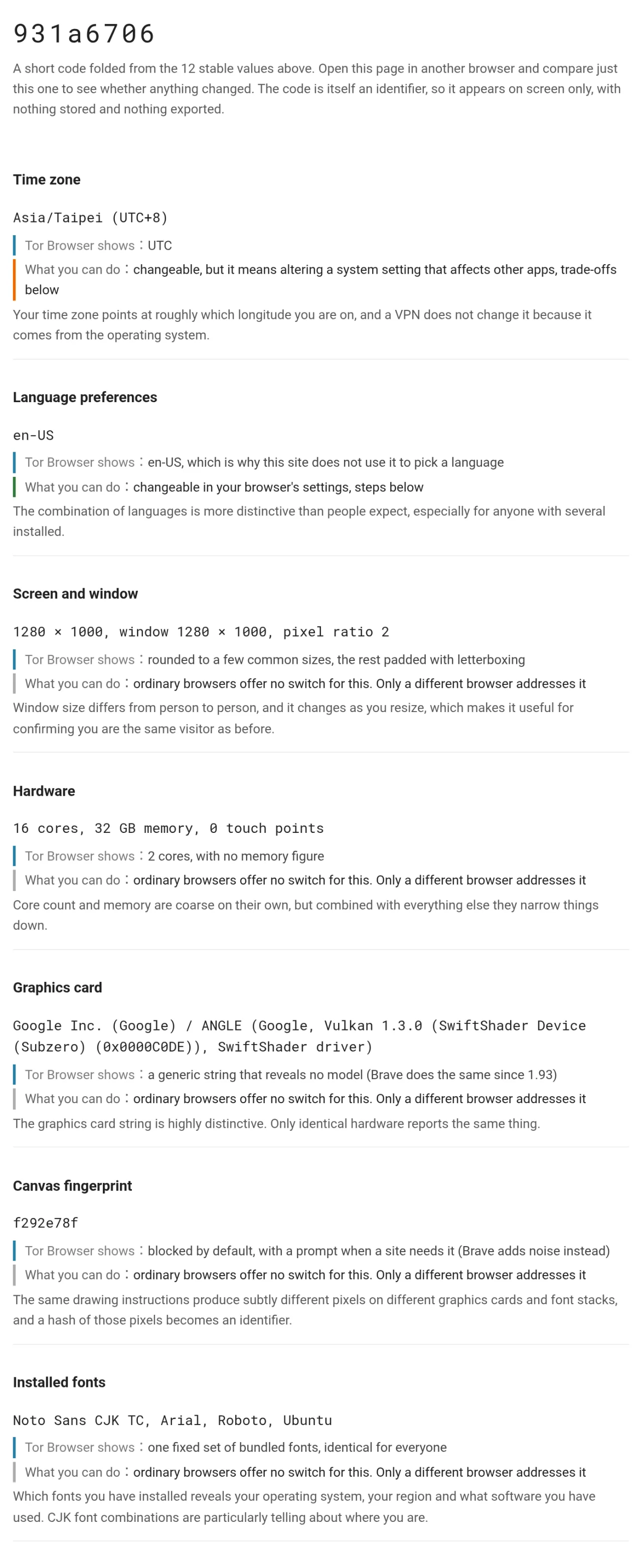
The eight-character code at the top is computed from the stable values. Open the page again on another device or in another browser and comparing that one code tells you whether anything changed. Fifteen values together are enough to identify a person, and the code condenses the set into something you can compare directly. The mechanics are in what browser fingerprinting is.
Of those fifteen items, three can actually be switched off on your own device: location permission, language preference and the Do Not Track signal. The rest have no switch, because they are capabilities the web platform hands to sites. The single action covering the most items is moving to a browser with built-in protection.
There is deliberately no export button, since the exported file would be a complete fingerprint and leaving it on a device is worse than not having it. There is no uniqueness percentage either, because computing one requires a population database and the community is not about to start collecting visitor data to build it. For that kind of statistic, EFF's Cover Your Tracks does the job.
One limit each for video and PDF
Encoders write their own version into the compressed stream itself, mixed in with picture data. That is not a descriptive field, removing it requires re-encoding, and re-encoding costs quality while only substituting one encoder's trace for another. The tool does not re-encode. It lists the strings it found instead, so nobody assumes the file came out clean.
A photo or a video lets you cut the descriptive section straight out, and PDF does not. Every PDF object records its own offset in the cross-reference table, cutting a section shifts everything after it, and since PDF 1.5 several objects are commonly compressed into a single stream where the contents are invisible from outside. So the tool rewrites the whole file, and the lossless guarantee does not survive that. Page content is not reflowed and renders pixel-identical in testing, but forms, digital signatures and unusual interactive elements may not survive a rewrite, so keep the original of anything that matters.
XMP holds one more trap. Deleting the catalogue's reference to the XMP block and saving leaves the block itself intact in the file with nothing pointing at it, so a text search still turns up the author and the location. The tool removes the object itself, and tools/test_stripmeta.mjs has a test guarding exactly that.
The whole site fits on a device
Opening the docs site in an ordinary browser stores only the offline reading page and its styles at first, about 0.5 MB. Once you pick a reading language on the home page, or open a second page in the same language, the core chapters of that language are cached in the background, with no install step. The extra step keeps someone who reads one page and leaves from spending 10 MB of mobile data. Switching language downloads that language's chapters only then, so a device holds only what has actually been read.
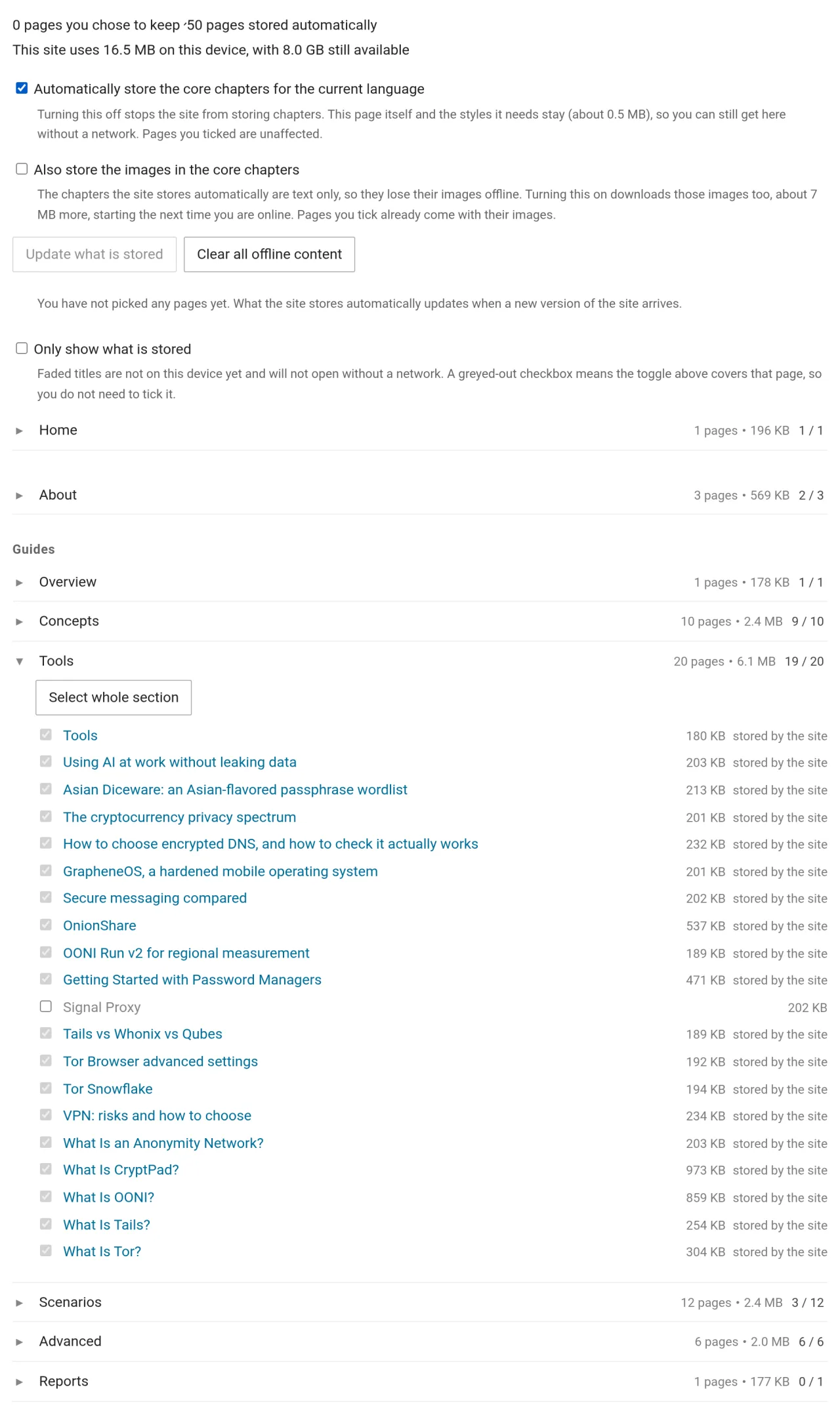
Scenario pages for journalists, activists, LGBTQ readers and domestic abuse are excluded from that prefetch and stored only if opened deliberately. Their presence on a device is itself a signal, so whether to keep them is the reader's call. To carry them offline, tick them on the offline reading page.
Automatically stored chapters hold text only, so images are missing offline. A switch on that page adds the images in the core chapters, roughly 7 MB more. It is off by default because most people are on mobile data and most of the content still reads fine without pictures. Pages ticked by hand ignore that switch and always store their images.
The site also installs as an offline app, and the steps for Android, desktop browsers and iOS are on the offline reading page. Tor Browser and the onion and IPFS versions register no background Service Worker for privacy reasons, so the pattern is installing from anoni.net in an ordinary browser for the offline copy and returning to Tor Browser for anonymous reading.
Whose code is in here
Most of the code in this section is written by the community. Four things come from elsewhere, dropped in unmodified:
| Component | Used by | Licence |
|---|---|---|
| qrcode-generator 1.4.4 | QR code generator | MIT |
| jsQR 1.4.0 | QR code reader | Apache-2.0 |
| pdf-lib 1.17.1 | The PDF path of the metadata stripper | MIT |
| The 7776-word list from asian-diceware | Passphrase and password generator | Word data CC-BY-4.0, code MIT |
Leaving them unmodified is deliberate. Once patched they stop being "the upstream copy", and a reader wanting to verify has only our word for it. The files sit under utils/vendor/, ready to be diffed against upstream. The common reason for not writing these ourselves is that getting them wrong does not crash anything, it produces output that looks right and is not, which is harder to catch than a failure.
Working on this with us
The tools are plain front-end code with no build step. Each one is a single JS file under docs/zh-TW/js/ in anoni-net/docs, and cd docs && uv sync && mkdocs serve gets a local copy running.
Each of the eight has a test, run with node tools/test_<name>.mjs, with nothing to install, and every one of them runs in CI. The tests guard the failures that look fine on screen and are wrong underneath: sampling bias, a generated QR code that scans back as something else, the fingerprint page quietly sending data, the URL cleaner stripping a parameter the page needs, threat model answers reaching storage.
What is missing is listed as the unsupported formats on each tool page: HEIC, TIFF, RAW, MKV, WebM, AVI and Office documents all have nobody on them. Open an issue or say so in the Matrix room before starting, so two people do not build the same thing. The process is in CONTRIBUTING and how to take part.
What comes next
The direction is a privacy and anonymity guide that lives on the reader's own device. A blocked domain, a severed connection or somewhere with no coverage at all is when these pages matter most, and whether they open then depends on what was stored beforehand.
Three things that help right now:
- Which pages you want to carry offline: the prefetch is currently split by core chapter, and real needs may differ
- What a tool lacks in your situation: an unrecognised field, a format that will not open, an explanation that does not land
- Real video or PDF samples: files whose metadata will not come off, or that stop opening once cleaned
Reach us in the public Matrix room (home server im.anoni.net, link on the community tools page), or open an issue on anoni-net/docs. Anything you would rather not attach your name to can go to [email protected] (GPG key).