Technical Design of Offline Reading and Local Encryption on the Docs Site
Readers of the docs site often need it in places where the network is cut, throttled or blocked. When we presented the site at Global Gathering 2026, most of the responses came back to connectivity lost to war, government interference and uneven distribution of network resources, and offline reading became the main direction for the site. What a reader does with it, storing pages, saving the whole site, clearing it and adding it to a home screen, is covered in the docs site's blog post and on its offline reading page.
We got three things wrong along the way: a CDN setting that kept newly published content off readers' phones for four hours, a clear button that put every page back on the device as soon as it was read, and a passkey that an iPhone could create but not derive a key from.
Six Service Worker Caches
A Service Worker is a piece of background code the browser provides. Once registered, every request to that site passes through it, and it decides whether to go to the network or answer from a cache on the device. The docs site uses it to put pages on the device and to serve them from there when there is no network.
The code lives in docs/zh-TW/sw.js, 1388 lines at the time of writing (October 2026 note: now 1644). What lands on a device is split across six caches rather than one, because different kinds of content should disappear at different moments.
What the site stores automatically follows the site version and is dropped and re-fetched on every deploy, otherwise a reader's copy drifts further out of date with each release. What the reader ticked cannot be treated that way, because something kept deliberately should not vanish because the site shipped. What gets picked up while browsing needs an entry limit, otherwise a few rounds through image-heavy pages evict both of the other two. Three lifetimes, so three places.
(October 2026 note: the precache was later changed so that a new version first reuses unchanged entries from the previous one, sends conditional requests only for entries that changed, and keeps the old copy when the network fails. See previousPrecaches and fetchForPrecache in sw.js.)
| Cache | Holds | Cleared when |
|---|---|---|
PRECACHE |
app shell and the core chapters of the current language | every site release |
RUNTIME_PAGES |
pages picked up while browsing, capped at 120 | oldest evicted past the cap |
RUNTIME_ASSETS |
images and fonts those pages reference, capped at 200 | oldest evicted past the cap |
LIBRARY |
pages the reader ticked | only by the reader unticking or clearing |
LIBRARY_ASSETS |
images and scripts those pages reference | with the page they belong to |
SETTINGS |
the two switch values | reset to off by the clear button |
LIBRARY_ASSETS is kept apart from LIBRARY so that the on-screen count of pages the reader picked stays accurate, and dozens of images are not counted as dozens of pages.
The two runtime caches are only written while automatic storage is on. They used to be written unconditionally, which meant that after a reader pressed Clear all offline content, every page they read went straight back onto the device. Someone presses that button because their device may be inspected, and a stated no should hold.
The switch values live in Cache Storage rather than localStorage, because a Service Worker cannot read localStorage during install. The fact that a reader once cleared their offline content has to survive into the install of the next deploy, or it all comes back the following day and the clearing meant nothing.
Tor Browser and the onion and IPFS editions deliberately register no Service Worker, for privacy reasons. The recommended pattern is to prepare the offline copy from anoni.net in an ordinary browser and return to Tor Browser for anonymous reading.
Updating the Offline Copy
Freshness comes from network-first. Navigation requests always go to the network and store what comes back, fall back to the cache on timeout or failure, and fall back again to that language's offline page. Reading online is therefore always current, and the only thing that goes stale is the offline copy on the device.
Choosing the timeout was the hardest decision here, and the difficulty has nothing to do with connection speed. The browser's navigator.onLine is only trustworthy when it reports false, and the states that actually strand a reader are the ones where it reports true: aeroplane mode with Wi-Fi still on, in-flight Wi-Fi without a plan purchased, a public hotspot holding traffic at its login page. A complete copy is sitting on the device, and the reader waits out the full timeout on every page anyway.
So navigation times out after 1.2 seconds. There is still an older copy on the device to hand over, and the reader gets complete content that is one round behind. Once a single navigation has timed out, anything cached is served immediately for the next minute while the network request still goes out in the background, and a success clears that state, so a reader who regains connectivity has nothing to press.
Assets get eight seconds, because a navigation timeout still leaves something to serve while an asset timeout leaves a hole in the page. That limit was only added on 2026-09-04. Before then there was none, and a network that connects without responding left requests hanging indefinitely. Because stylesheets/extra.css is render-blocking, a hanging request meant a blank page, with nothing rendered after forty-five seconds in testing.
When a new version ships, a card floats up at the bottom of the screen reading "A newer version is available for offline reading. Updating reloads this page." Nothing is applied until the reader presses Update. Applying it reloads the current page and loses the reader's position, so the card says so and leaves the decision to the reader. Skipping it is fine, and the offline copy stays as it is until the reader decides.
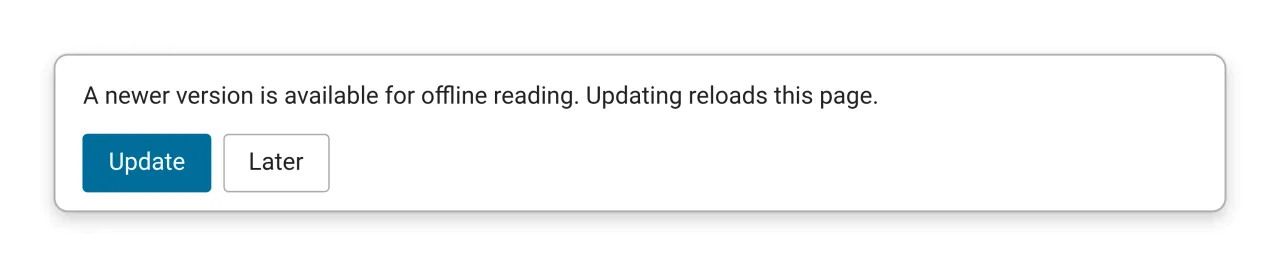
The browser's soft update is triggered by navigation, which happens often in a tab, but an installed PWA sitting in the background produces no new navigation when it returns to the foreground. The update card never appears and the reader has no update button at all. The fix is asking for a new version explicitly on foreground, throttled so that switching apps does not fire a request every time.
Pages a reader ticked do not follow releases. The offline reading page carries a separate Update what is stored button that re-fetches them page by page.
The HTTP Cache Layer
Every request the Service Worker issues carries cache: "no-cache". The name invites a misreading: it means revalidating with the server every time, and it does not skip the cache. When nothing has changed the server answers 304 and the cached copy is used, at the cost of one round trip.
A fetch without that option consults the device's HTTP cache first and answers from it while it still looks fresh, so the network request never leaves. Network-first then appears to have asked the network while it actually asked itself, and that stale response is written back into the runtime cache, keeping old content on the device even longer.
That happened on 2026-08-28. A Cloudflare Cache Rule setting all HTML to max-age=14400 kept newly published content out of the PWA for four hours. Readers in a Safari tab never noticed, because entering from the address bar or pulling to refresh bypasses the HTTP cache anyway, while a cold start of the installed app and in-site link clicks do not. An iOS home screen app also has its own storage partition, so fresh content fetched in Safari never reached it, and only the PWA stayed on the old version.
The fix that day landed in two layers. The nginx server sends no-cache for pages under /docs/ and for the two index files, and the Cloudflare rule was changed to respect the origin and pass that through. The Cloudflare edge still caches for 24 hours and is purged by cf_purge.py at deploy time, and the Service Worker still carries its own no-cache. The two layers are independent because upstream settings get changed by people who have no reason to know a Service Worker depends on them, and readers not receiving freshly published content is hard to notice by clicking around in a browser.
A Passkey with No Account and No Server
A passkey is a key held on a device or in a password manager, unlocked with a fingerprint, a face or a PIN, and normally used for logging in. The way the docs site uses it involves no login, no account and no server. It serves as the key to the reader's data, and the site has no way to learn whether a reader ever created one. A completed preparation checklist, a set of threat model answers and a handful of frequently used contacts are all encrypted and stored on the reader's own device.
The same passkey supports two mechanisms, which differ in how they work and in where they work.
A Data Key in user.id
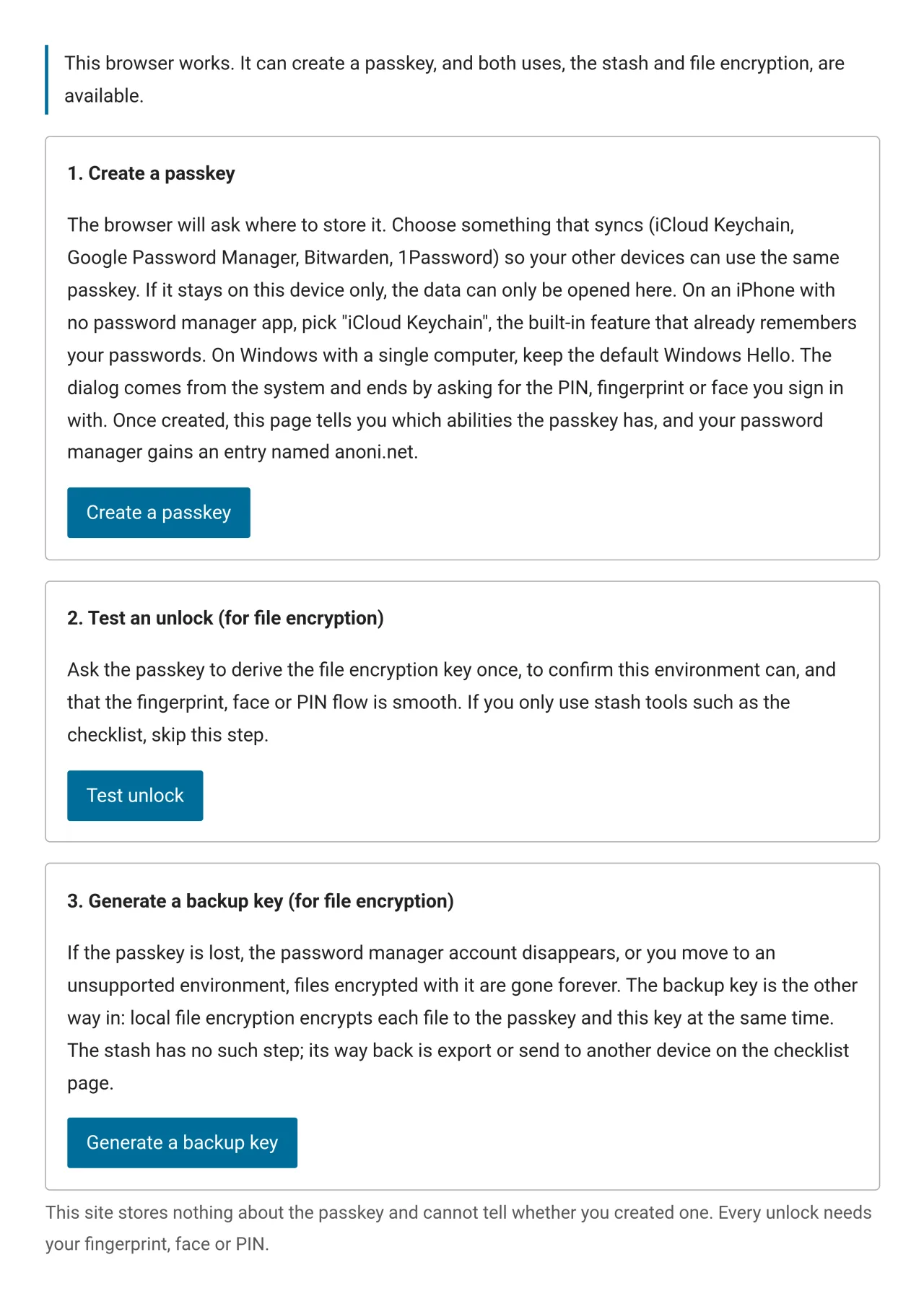
Creating the passkey generates a random data key in the page and places it in the credential's user.id field. Every subsequent verification returns it verbatim from wherever the passkey is held. One verification on any device holding that passkey brings the data key back into the page, which then decrypts the ciphertext stored on the device.
The preparation checklist, saved threat model answers and the recipient book in local file encryption all share one vault and one ciphertext.
A Key Derived on the Spot with PRF
The PRF mechanism turns the passkey into a key calculator that only produces a result when the reader verifies. It relies on the WebAuthn PRF extension. The passkey holds an extra internal secret that never leaves the authenticator, the page supplies an input on each verification, and after the reader approves, the authenticator returns a fixed 32-byte output. The same passkey with the same input always produces the same output.
Local file encryption wraps age's file key with that output. Without the passkey the key cannot be derived and the data is just ciphertext. "Shown only after verification" is a different thing entirely: a gate written into a web page, which anyone can walk around.
The Trade-off Behind user.id for the Vault
The vault uses user.id rather than PRF. Apple's implementation passes the PRF inputs only to the iCloud Keychain and not to other providers, so an iPhone paired with Bitwarden can create a passkey but cannot derive a key. user.id is a core field that every provider is required to return, and we verified it on an iPhone with Bitwarden and on Chrome on a computer.
The cost is stated on the page. The data key sits in the password manager alongside the credential, so its security equals that manager's security. Whoever can unlock the password manager obtains the key, and an export file, a shared vault, or a server breach combined with a weak master password all lead to the same place. That is the same tier as a device's screen lock: enough for most people, not enough against an adversary who can reach the device and compel an unlock. The threat model checklist stops offering to save answers once that tier of adversary is selected.
Between coverage and the security ceiling we chose coverage, and the test is whether an approach works on an iPhone paired with a third-party password manager. Any design that requires memorising a passphrase gets rejected, and verifying is all the reader should have to do.
Passkey Limits
- A passkey is bound to the
anoni.netRP ID, browsers only allow it on that same origin, and mirrors and onion addresses cannot use it - Tor Browser disables WebAuthn entirely, and
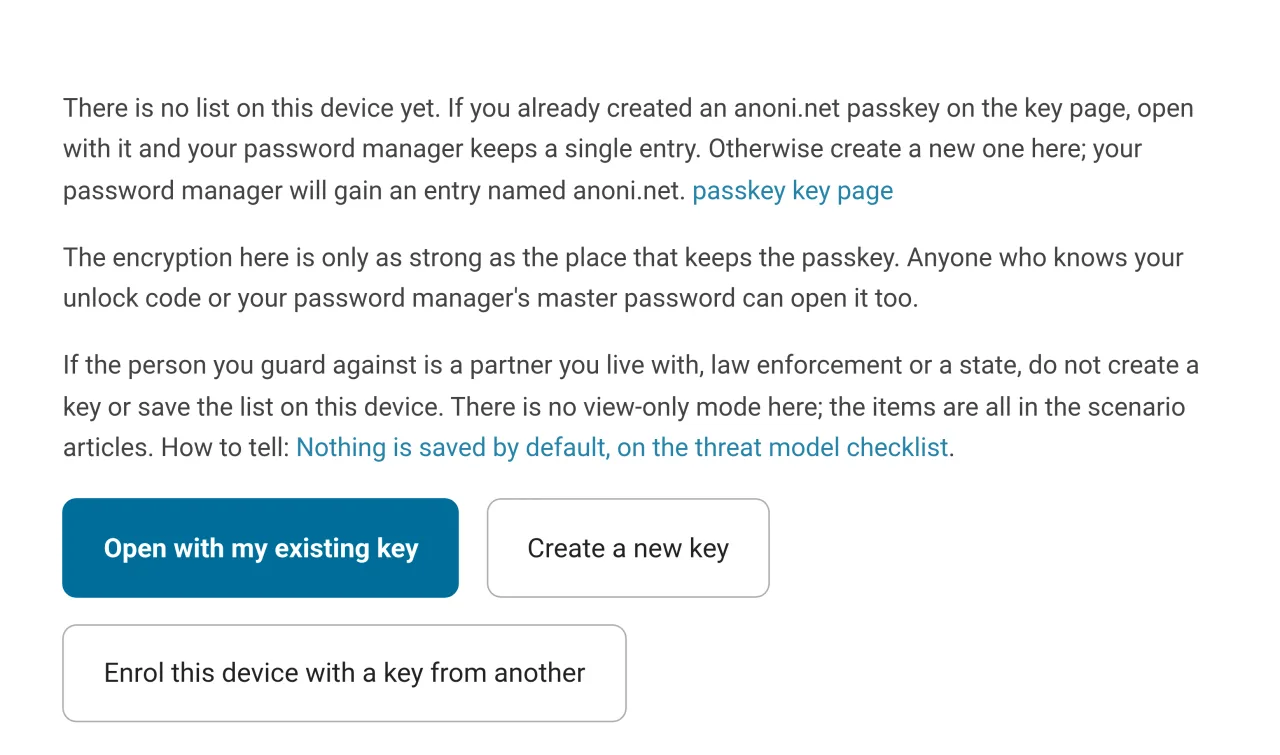
security.webauth.webauthnis false in its default profile - Lose the passkey or the password manager account and the vault is gone, while files encrypted with it are left with only the backup key
- Browsers do not let a page ask whether a given origin has a passkey, so the site does not know whether a reader created one, and the key page is empty on every visit
Why age
Three years from now, a reader opening a backup may have nothing but a laptop with a command-line tool, and this site may not exist. That single consideration decides in favour of a public format over a custom one.
Choosing age over PGP within the public formats comes down to a short list of concrete differences:
| age | OpenPGP | |
|---|---|---|
| Scope | File encryption only | Encryption, signatures, identity and a web of trust |
| Algorithms | One fixed set: X25519, ChaCha20-Poly1305, scrypt, HMAC-SHA-256 | Several, negotiated between parties |
| What a key looks like | One line, 62 characters | A block of thousands of characters carrying identity and expiry |
| Configuration | None | Hundreds of options in a GnuPG config |
| Specification length | One page | Hundreds of pages |
| Implementations | Go, Rust and TypeScript, mutually compatible | GnuPG mainly, with other implementations covering parts |
Nothing to configure means nothing to misconfigure, a short specification can be implemented small enough to audit in a browser, and passphrase mode needs no key management at all. The 1999 usability study "Why Johnny Can't Encrypt" gave twelve people PGP 5.0 and ninety minutes to send one encrypted message, most could not finish, and one of them mailed out a private key. The 2018 EFAIL attack exploited the fact that old-format ciphertext could be altered while mail clients displayed content anyway after a failed check. Both trace back to the same root: too many options and too many places to get it wrong.
Local file encryption on the site outputs a standard age file, which any machine with the command-line tool can open without this site:
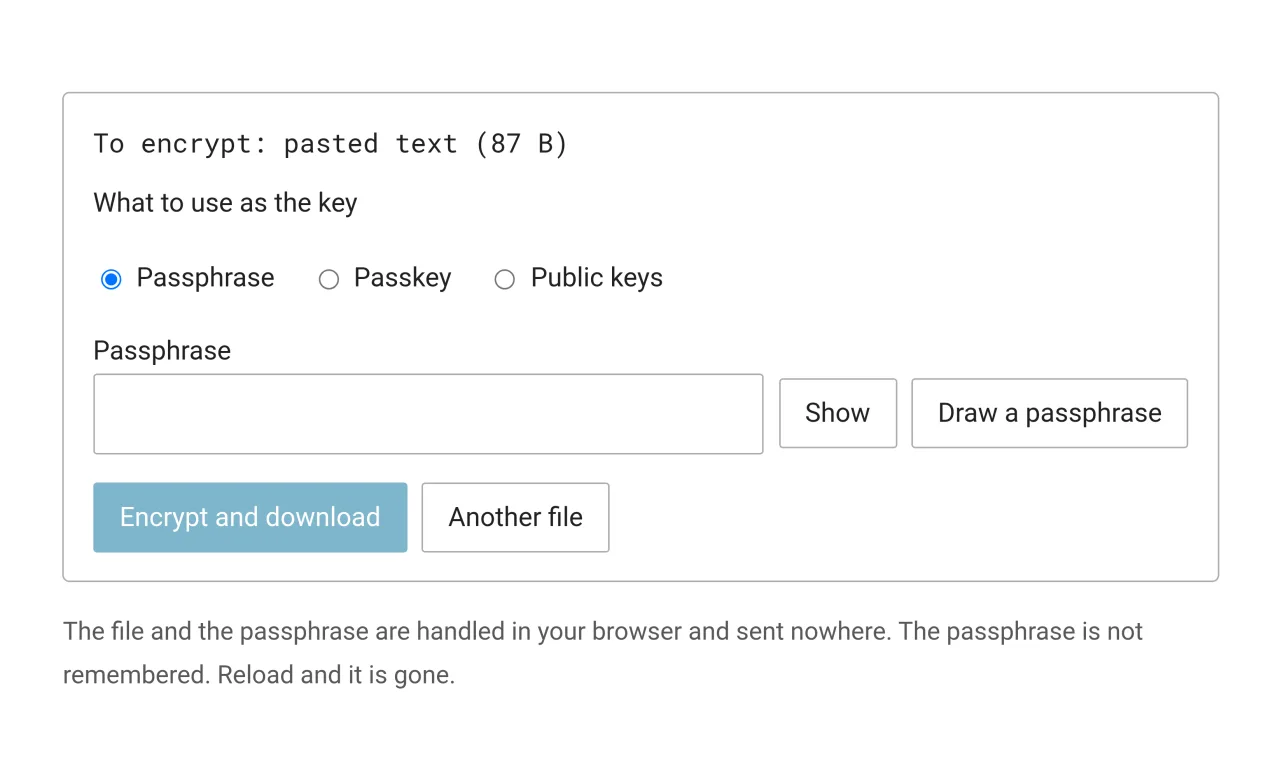
age -d -o backup.tar backup.tar.agePassphrase mode requires no key management, and its strength is exactly the strength of the passphrase. Passkey mode requires memorising nothing, at the cost of the file only opening on the anoni.net origin. Recipient mode encrypts to other people, one public key per line, accepting both age1 X25519 keys and age1pq1 post-quantum hybrid keys.
After encrypting, the page decrypts its own output with the same key and compares before offering the download. The libraries doing the encryption sit on the site unmodified, not one line changed, so anyone who wants to check can compare them byte for byte against the upstream release. Modifying them would remove that comparison, leaving a reader with nothing but our word for it.
PGP stays where it fits. Sending Us Sensitive Material uses PGP, because that process needs a long-lived identity and has to work with the mail ecosystem. Mail and identity use PGP, files and backups use age.
Prototype Status
Whole-site offline reading is a working prototype. The core mechanism runs in production, while the prefetch boundaries, the granularity of clearing and the entry point after installation are all still moving. The tools are still separate basic components that do not chain into each other.
Comments on the implementation are welcome as issues on anoni-net/docs, and the reader feedback we are looking for is listed at the end of the docs site's blog post.